
Page Contents
Last updated: October 2026
Visitors rarely buy the first time they see your site. They arrive, look around, compare, hesitate and either complete a goal or leave. Funnel analysis measures that journey step by step, so you can see exactly where people drop off. Instead of guessing why sales are low, you find the stage where the most visitors are lost and decide what to fix first.
This guide explains what a conversion funnel is, how funnel analysis works, how to run it in Google Analytics 4 (GA4) and with behavior tools, and what to do with the results. Where figures come from secondary sources and vary, we say so.
What Is a Conversion Funnel?
A conversion funnel is the path visitors take from first contact to a goal, such as a purchase, a sign-up or a booked demo. It is called a funnel because each step usually has fewer people than the one before. A simple e-commerce funnel might be:
- Visit the site
- View a product
- Add the product to the cart
- Start checkout
- Complete the purchase
Lead-generation sites have different steps, for example landing page, form start and form submission. Read our introduction to the conversion funnel for more models, and map your buyers’ path with a buyer journey map.
What Is Funnel Analysis?
Funnel analysis is the process of tracking how many visitors move from each step of the funnel to the next, then studying where and why they leave. The key outputs are:
- Step conversion rate: the percentage of people who continue from one step to the next.
- Drop-off rate: the percentage who leave at that step.
- Overall funnel conversion rate: the share of people who go from the first step to the last. This equals the product of all the step rates, so small gains at every step multiply.
Funnel analysis is the measurement half of improving results. Funnel optimization is the fixing half.
Benefits of Funnel Analysis
1. It Identifies High-Exit Pages
A sudden loss between two steps points straight at the page or interaction that needs attention, such as a confusing shipping form or a slow payment page.
2. It Reveals Who Is More Likely to Convert
Splitting the funnel by device, country, new versus returning visitors or campaign shows which groups convert well and which struggle. You may find that mobile users drop off at checkout while desktop users do not.
3. It Shows Which Marketing Channels Work
Two sources can bring the same traffic but very different results further down the funnel. Funnel analysis shows which channels bring people who actually convert, so you can shift budget. See our guide to website visitor tracking.
4. It Helps You Maximize Sales
Fixing the largest leak usually brings bigger gains than polishing a step that already works well. Funnel data helps you rank fixes by impact.
How to Do Funnel Analysis: 7 Steps
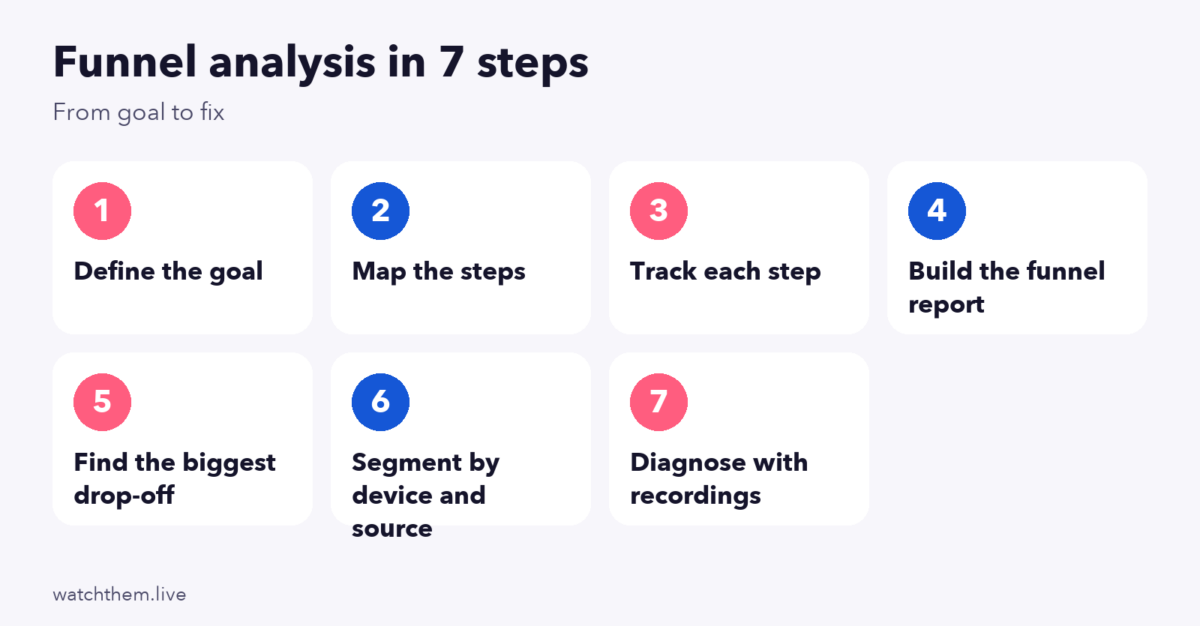
- Define the goal. Pick one outcome to analyze, such as purchases or demo requests.
- Map the steps. List the pages or actions a visitor must complete, in order. Keep it to the steps that really matter, usually four to seven.
- Track each step. Make sure your analytics records an event or page view for every step, and test them.
- Build the funnel report. Use your analytics tool to see how many people reach each step.
- Find the biggest drop-off. Calculate the step conversion rates. Look at both percentage and the absolute number of people lost, because a small percentage drop at a high-traffic step can cost more than a large drop at a small one.
- Segment the data. Compare device, source, country and new versus returning visitors to see where the problem is concentrated.
- Diagnose the cause. Use recordings, heatmaps and feedback to learn why visitors leave, then fix it and test the change.
A Simple Example
Imagine 10,000 visitors, of whom 3,000 view a product, 600 add to cart, 300 start checkout and 150 buy. The step rates are 30%, 20%, 50% and 50%, and the overall conversion rate is 1.5%. The cart step looks weakest in percentage terms, but the largest absolute loss is between visit and product view. Which to tackle first depends on how easy each fix is and what the data says about the cause. That is why diagnosis matters.
How Does Google Analytics Do Funnel Analysis?
GA4 offers funnel exploration in its Explore section. To create one, choose the funnel exploration template, add your steps (pages or events) and review the results. A few details matter:
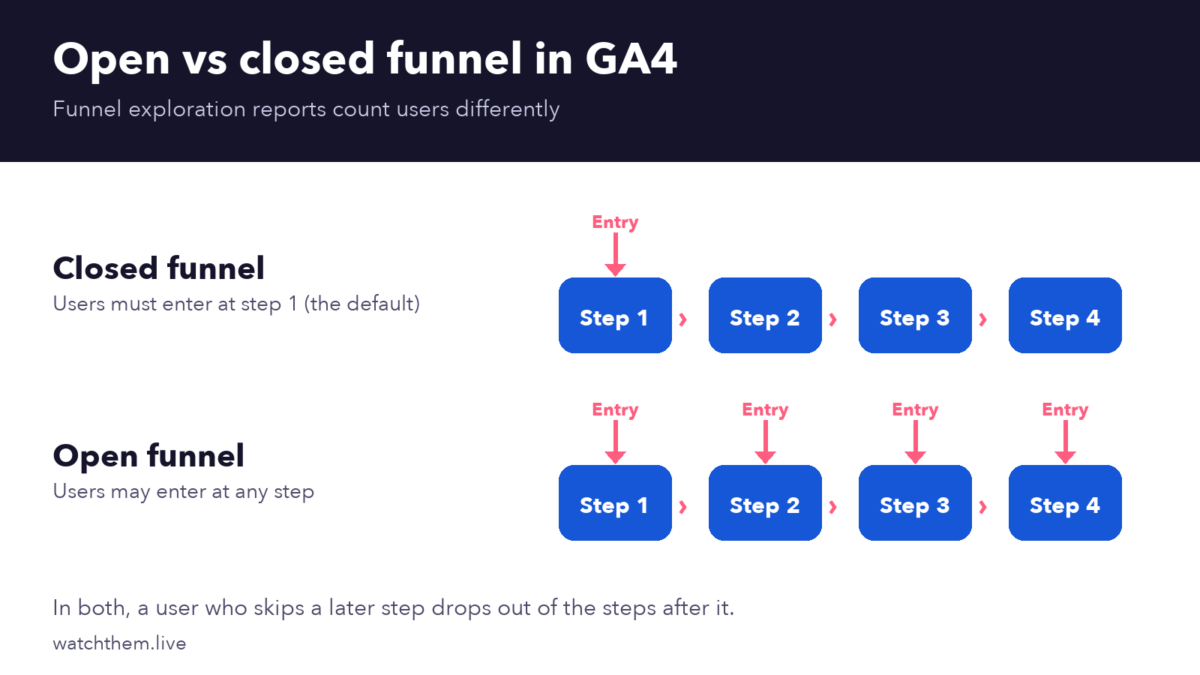
- Closed by default. In a closed funnel, users must enter at the first step. In an open funnel, they may enter at any step. You can switch with the “Make open funnel” option.
- Missed steps drop users out. A user who skips a step is not counted in the later steps.
- Only the first sequence is counted. If one user completes the steps several times in the date range, only the first sequence is reported.
- Step settings. You can mark steps as directly or indirectly followed and set time limits between steps.
- Visualization. Choose a standard stepped funnel or a trended line chart to see changes over time.
Use key events (the new name for conversions in GA4) for the actions that matter, and keep event names consistent. See how to measure goal conversion rate in Google Analytics and our funnel metrics guide.
Conducting Funnel Analysis With Behavior Analytics Tools
Analytics tells you where visitors leave. Behavior tools tell you why.
Heatmaps
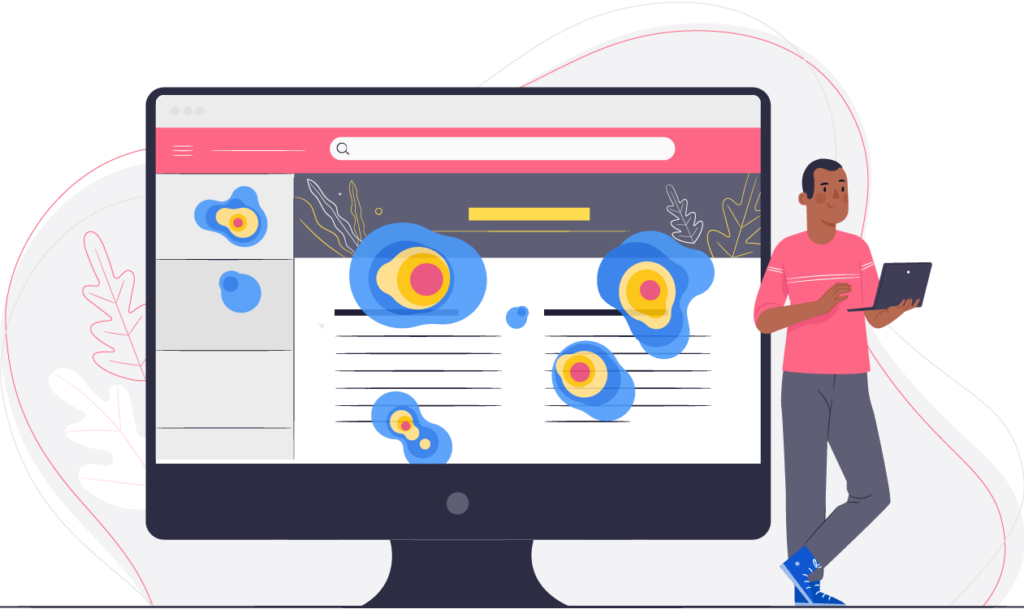
Heatmaps show where visitors click and how far they scroll on the pages in your funnel, so you can see whether the main button is noticed or whether key information sits below where most people stop.
Session Replays
Session recordings let you watch visitors at the step where they drop off. You may spot a form error, a broken button or a confusing choice that numbers alone would never explain.
Setting Goals
With goal and event tracking, you can count each funnel step, such as button clicks and form submissions, and filter results by device or source. Pair it with website analytics for a full view.

Funnel Examples for Different Business Types
- Online store: visit, product view, add to cart, checkout start, payment, purchase. Watch the steps between cart and payment closely, because costs and trust matter most there.
- SaaS product: visit, pricing page, sign-up start, account created, first key action, paid plan. A common problem is people who sign up but never reach the first useful action.
- Lead generation: landing page, form start, form submit, qualified lead, meeting booked. Form abandonment and slow follow-up are typical leaks.
- Content site: article view, second page view, newsletter sign-up, return visit. Here the funnel measures engagement and loyalty rather than sales.
Build a separate funnel for each main journey, because a single combined funnel hides the differences.
Funnel Analysis Benchmarks: Handle With Care
Many sites quote funnel drop-off benchmarks, but they are rarely comparable. Roundups that cite Baymard Institute research put average cart abandonment near 70%. Some 2026 roundups report end-to-end conversion of roughly 1% to 5% for B2B and 5% to 15% for B2C and e-commerce, but definitions of the first and last step vary widely. Use them only as a rough guide, and compare your funnel with its own history, week by week and by segment.
What to Do With Your Funnel Findings
- Fix friction at the weakest step. Shorten forms, show costs early, clarify buttons and speed up pages.
- Improve the landing page. Review it with the landing page checklist and run tests.
- Follow up with people who left. Use abandoned-cart or abandoned-form emails and retargeting.
- Improve lead handling. See lead conversion for tactics.
- Build testing into your routine. See conversion rate optimization strategies and how to build a CRO program.
Common Funnel Analysis Mistakes
- Tracking too many steps, which makes the funnel hard to read.
- Broken or missing events, which produce false drop-offs. Test tracking after every site change.
- Ignoring segments. Averages hide device and channel differences.
- Looking at percentages only. Consider volume, too.
- Stopping at the numbers. Without recordings or feedback, you will not know why people leave.
- Reading short periods. Use enough data, and account for weekly and seasonal patterns.
Frequently Asked Questions About Funnel Analysis
What is funnel analysis?
Funnel analysis tracks how many visitors move through each step toward a goal and shows where they drop off, so you can fix the biggest problems first.
How do I create a funnel in GA4?
Open the Explore section, choose the funnel exploration template, add your steps as pages or events and review the results. Make sure the events are tracked correctly first.
What is the difference between an open and a closed funnel?
In a closed funnel, users must enter at the first step to be counted. In an open funnel, users can enter at any step. GA4 funnels are closed by default.
How many steps should a funnel have?
Most useful funnels have four to seven steps. Include only the steps that are essential to reaching the goal.
How often should I run funnel analysis?
Check your main funnel weekly and do a deeper review monthly, and run it again after any significant site, pricing or campaign change.
Conclusion
Funnel analysis shows where your visitors get stuck. Define one goal, map the steps, track them carefully, find the biggest drop-off, segment the data and use recordings and heatmaps to learn why. Then fix the problem, test it and repeat. Over time, small improvements at each step add up to a much higher overall conversion rate from the traffic you already have.
