
Page Contents
Last updated: October 2026
Personalization in CRO means showing different content, offers or layouts to different visitors based on what you know about them, then measuring whether conversions improve. Done well, it makes pages more relevant. Done badly, it adds complexity, privacy risk and no lift. This guide covers nine strategies, from simple to advanced, with a table to help you pick, a way to measure results and a section on privacy.
Top guides on this topic agree on the same path: start with segments, add behavior and context, personalize in small steps, and prove every change with a test. Many also quote large vendor statistics, which we leave out because they are hard to verify.
What Is Personalization in CRO?
Personalization adapts an experience to a person or group. Segmentation sorts visitors into groups; personalization changes what each group sees. In conversion work, the goal is to remove doubt and effort for each type of visitor, for example by showing a returning customer a reorder button instead of a sign-up pitch.
Why It Matters: What the Data Says
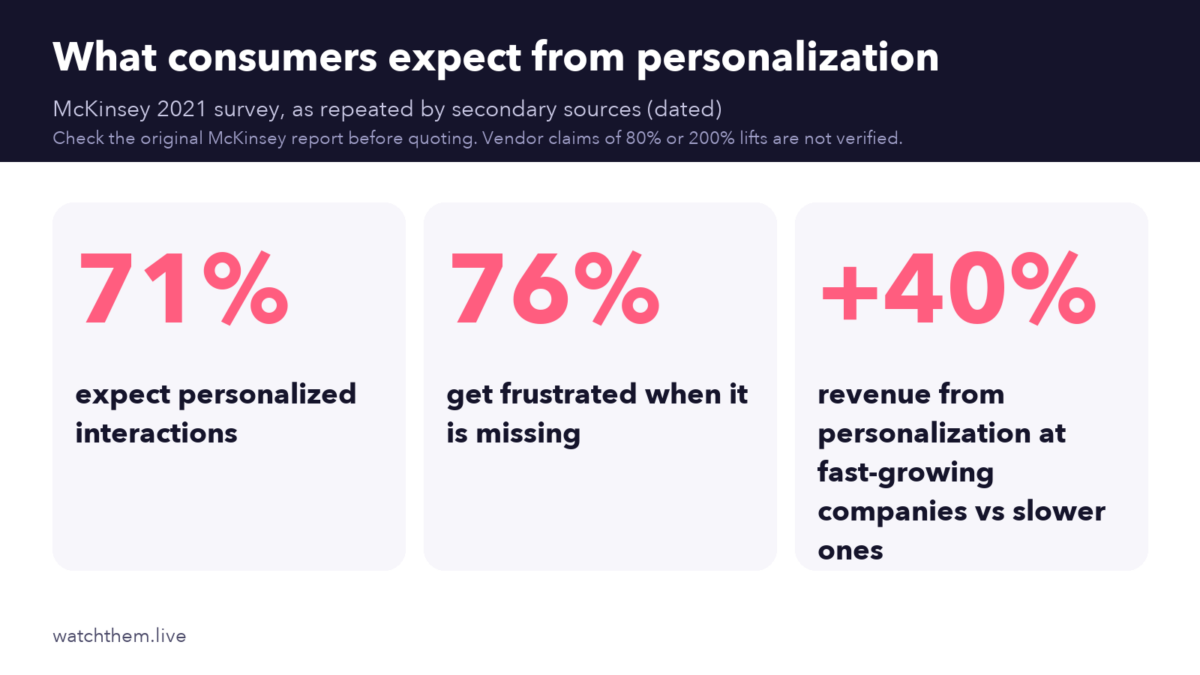
McKinsey’s 2021 research on personalization reported that about 71% of consumers expected companies to deliver personalized interactions, and about 76% were frustrated when that did not happen. It also reported that companies growing faster drew roughly 40% more of their revenue from personalization than slower-growing peers. These figures come from one dated study and are often repeated by secondary sources, so read them as direction, not as a forecast for your site.
9 Personalization Strategies for Higher Conversions
1. Personalize by Traffic Source
Visitors from an ad, an email and an organic search have different intent. Match the headline and offer to the source. This needs only campaign tags and is one of the lowest-risk starting points.
2. Separate New and Returning Visitors
New visitors need to understand the offer and trust you. Returning visitors want speed: pick up where they left off, see saved items or reorder. Use cookies or logged-in status to tell them apart, with consent where required.
3. Use Location and Language
Show local currency, shipping information, store locations or support hours. Do not guess language from location alone; let users change it.
4. Adapt to Device and Context
A phone user on a commute needs short steps and click-to-call, while a desktop visitor may compare details. Time of day, season and weather can also matter for some products. See our guide to website personalization strategies that work for more examples.
5. Personalize Product Recommendations
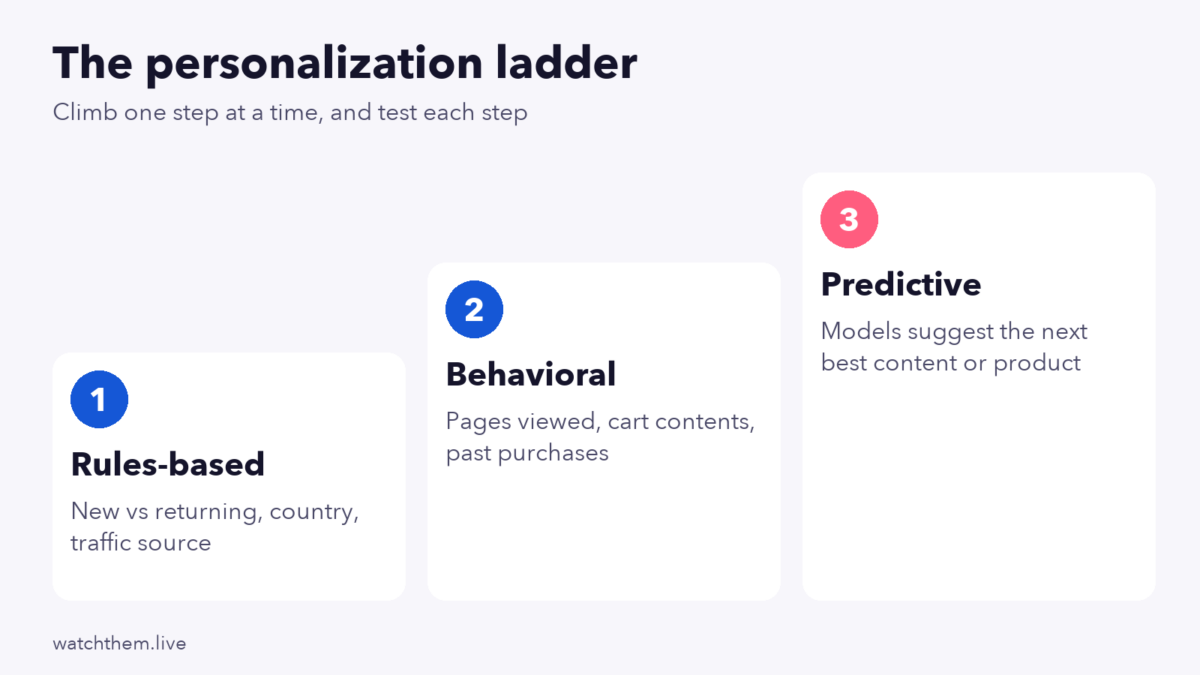
Recommend items based on views, purchases or similar shoppers. Start with simple rules such as “recently viewed” and “bought together,” then move to models if the data supports it.
6. Tailor Content to the Funnel Stage
Early-stage visitors want education; late-stage visitors want proof, pricing and a clear next step. Use behavior such as pages viewed and time spent to infer the stage. Our article on customer behavior analytics for better decisions explains which signals are useful.
7. Personalize Forms and Offers
Prefill known details, hide questions you already have the answer to and offer incentives that suit the segment, such as a first-order discount for new visitors. Avoid discounting for people who would pay full price.
8. Use Behavioral Triggers
Show a helpful message when someone hesitates, such as returning to a pricing page several times or leaving a cart. Keep these messages useful rather than pushy, and limit how often they appear.
9. Personalize Follow-Up Messages
Emails and notifications can continue the experience after the visit: abandoned cart reminders, restock alerts or tips based on the product bought. See email marketing best practices for conversions.
Personalization Tactics Compared
| Tactic | Data needed | Effort | Main risk |
|---|---|---|---|
| Traffic source | Campaign tags | Low | Too many variants to maintain |
| New vs returning | Cookie or login status | Low | Wrong guess without consent data |
| Location and language | IP or account data | Low to medium | Wrong location assumed |
| Device and context | Device data | Low | Hiding content |
| Product recommendations | Views and purchases | Medium | Weak data gives poor suggestions |
| Funnel stage content | Behavior history | Medium | Misreading intent |
| Forms and offers | Known profile data | Medium | Margin loss from needless discounts |
| Behavioral triggers | Real-time events | Medium | Annoying visitors |
| Follow-up messages | Email and events | Medium | Over-messaging |
Segment Examples You Can Start With
| Segment | What they need | Personalized change to test |
|---|---|---|
| First-time visitor from search | Clarity and trust | Benefit headline, top reviews |
| Returning visitor with items viewed | Quick return | Recently viewed block |
| Cart abandoner | Reassurance | Reminder with shipping and returns info |
| Mobile visitor | Speed and simplicity | Short form, tap-to-call |
| Customer who already bought | Support and add-ons | Related accessories, no sign-up pitch |
For a deeper look at grouping visitors by attitudes and motives, see psychographic segmentation for personalized marketing.
Personalization Examples by Business Type
- E-commerce: show recently viewed items to returning shoppers, show free-shipping progress in the cart and send a reminder with the exact items left behind.
- SaaS: change the home page headline by industry or company size when you know it, show different case studies by segment and tailor onboarding to the goal the user chose at sign-up.
- Lead generation and services: show the phone number and opening hours for the visitor’s region, and shorten the form for visitors who already read the pricing page.
- Content and media: recommend the next article by topic read, and show a newsletter prompt only to repeat readers.
In every case the principle is the same: use a signal you already have, change one thing that matters to that group and compare the result with the standard page. If a personalized version does not beat the default after a fair test, retire it, because every rule you keep running has a maintenance cost.
How to Start Personalizing Without Overbuilding
- Pick one page and one goal, such as the pricing page and demo requests.
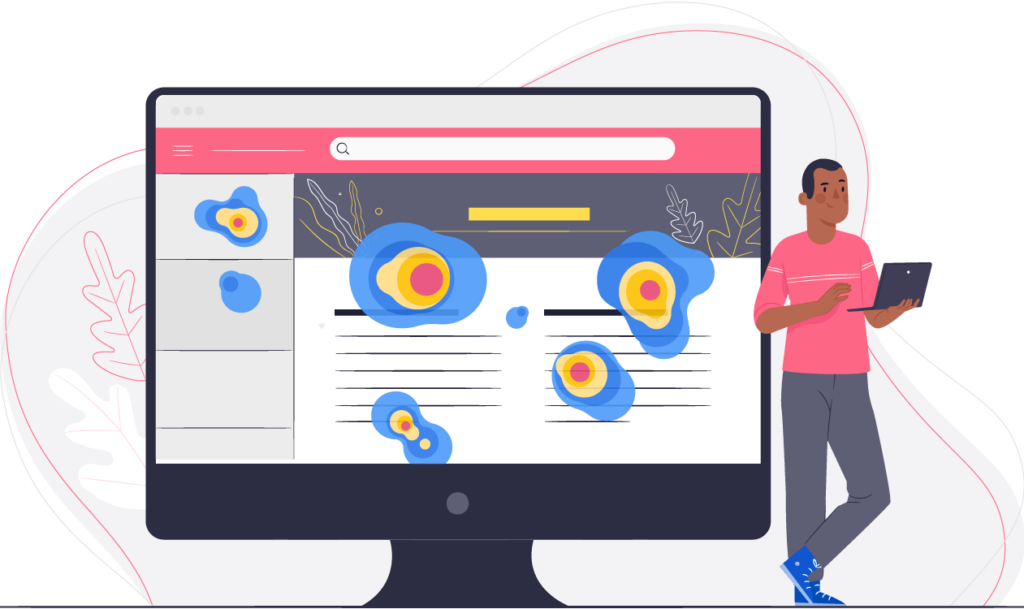
- Find a real difference between two segments. Compare their conversion rates and watch session recordings of each segment to see why they behave differently.
- Write a hypothesis: “If returning visitors see a shortcut to their saved items, completion will rise, because recordings show them searching again.”
- Build the smallest version, such as one changed headline or block.
- Test it against the standard version.
- Keep, change or drop it, and log the result.
How to Measure Personalization
Personalization can look successful just because you picked a good segment. To avoid fooling yourself, measure it with a controlled test.
- A/B test the personalized experience against the default for the same segment.
- Use a holdout group. Keep a small share of eligible visitors on the default experience for the long term, so you can see the true lift.
- Track the primary metric (conversion rate, revenue per visitor) and guardrails such as bounce rate, page speed and unsubscribes.
- Run tests long enough to cover at least one to two business cycles, and avoid peeking.
- Watch speed. Heavy personalization scripts can hurt Core Web Vitals; Google’s “good” targets are an LCP of 2.5 seconds or less, INP of 200 milliseconds or less and CLS of 0.1 or less (see the web.dev threshold guide).
For methods and sample sizes, see CRO testing methods and tools.
Privacy, Consent and Cookies
- Collect only what you need, and tell people how you use it.
- Get consent where the law requires it. Rules differ by region, so check with a qualified adviser for your markets.
- Prefer first-party data that visitors share directly, such as account details and on-site behavior.
- Do not rely on third-party cookies. Google said in April 2025 that Chrome would keep third-party cookies and not roll out a standalone cookie prompt, and it retired most of its Privacy Sandbox technologies later in 2025. Other browsers still limit tracking, so build for a world with less cross-site data.
- Avoid sensitive guesses. Do not infer health, finances or other sensitive traits for targeting.
Common Personalization Mistakes
- Starting with advanced tools before the basics work.
- Too many segments with too little traffic to test them.
- Creepy messages that reveal how much you track.
- No control group, so lift cannot be proven.
- Ignoring the default experience, which most visitors still see.
- Forgetting maintenance. Rules and content go stale.
Frequently Asked Questions About Personalization in CRO
What is personalization in CRO?
It is the practice of adapting pages, offers and messages to visitor segments, then testing whether conversions improve.
What is the difference between segmentation and personalization?
Segmentation groups visitors. Personalization changes the experience for each group.
Do I need expensive software?
Not to start. Source-based headlines, new-versus-returning messages and basic recommendations can be done with common tools. Add specialized platforms when you have the traffic and a proven need.
How do I know personalization works?
Test it against the default experience with a control or holdout group and compare conversion rate and revenue per visitor.
Is personalization allowed under privacy laws?
It can be, but consent, disclosure and data-handling rules apply in many regions. Check the rules for your markets with a qualified adviser.
Conclusion
Start personalization with simple, low-risk moves: match the message to the source, treat new and returning visitors differently and adapt to device and stage. Keep each change small, tie it to a hypothesis from real behavior and prove it with a control group. Respect privacy, avoid heavy scripts and expand only after the first tests show a lift. Relevance is the goal, not complexity.
