

Page Contents

Last updated: October 2026
Website data can feel overwhelming. Analytics tools offer hundreds of reports, but only a handful of numbers tell you whether your site is helping the business. The key website metrics show how people find you, what they do and whether they take the actions you want. Tracking them makes it possible to see which changes work and which waste your budget.
This guide covers ten website metrics that matter in 2026, explains how they work in Google Analytics 4 (GA4), where older metrics have changed and how to use behavior tools to understand the numbers. Where figures come from secondary sources, we say so.
What Are Website Metrics?
Website metrics are measurements of how visitors reach and use your site. A metric is a number, such as the number of sessions. A KPI (key performance indicator) is a metric you have chosen to track against a goal, such as a monthly conversion rate target. You do not need to follow everything: choose the metrics tied to your goals and review them regularly. For ecommerce and marketing teams, our guide to website performance metrics adds more background.
One warning: many older articles describe Universal Analytics, which Google replaced with GA4. Names and definitions changed, so be careful when comparing numbers from different years or tools.
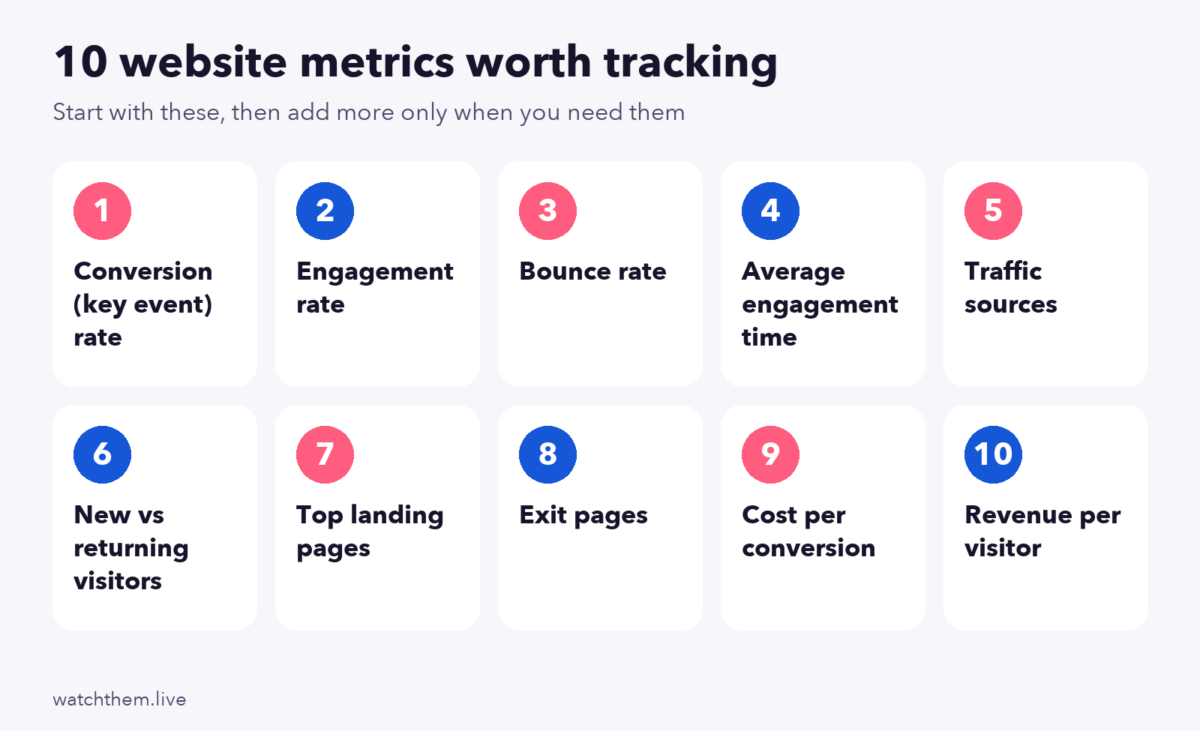
10 Key Website Metrics to Track
1. Conversion (Key Event) Rate
This is the percentage of visitors who complete your main goal. In GA4, “conversions” were renamed “key events” in 2024, so you will see session key event rate (the share of sessions with at least one key event) and user key event rate (the share of users with one). Track it overall and by page, device and source. Learn more in our guide to conversion rate and how to calculate it.
2. Engagement Rate
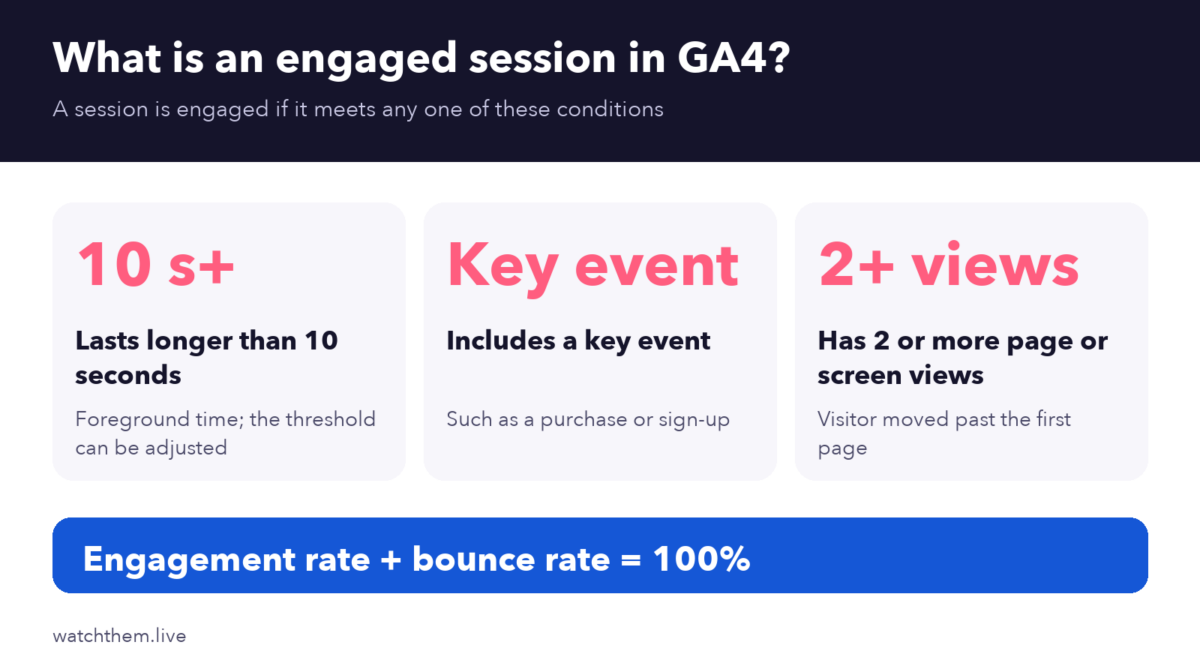
GA4 replaced the old bounce-rate approach with engagement. A session counts as engaged if it lasts longer than 10 seconds, includes a key event or has two or more page or screen views. Engagement rate is the percentage of engaged sessions. A low rate suggests that visitors arrive and quickly find nothing useful, often because of mismatched traffic or weak first impressions.
3. Bounce Rate
In GA4, bounce rate is simply 100% minus the engagement rate, so the two always add up to 100%. This is different from Universal Analytics, where a bounce meant a single-page session. As a result, GA4 bounce rates are usually lower than old UA figures for the same site, and you should not compare them directly. High bounce rates matter most on landing pages from ads. Read our guide to the e-commerce bounce rate for context.
4. Average Engagement Time
GA4’s average engagement time measures how long your page was in the foreground and actively used, rather than total session length. It helps show whether people read your content. Compare it by page type, because a short time can be fine for a quick tool but poor for an in-depth article. See also session duration.
5. Traffic Sources
This metric shows how visitors arrive: organic search, paid ads, social media, email, referrals or direct. Compare not only volume but also conversion rate and engagement by source, because a small channel can outperform a large one. Use campaign tags (UTM parameters) so GA4 can attribute traffic correctly.
6. New vs. Returning Visitors
New visitors show your reach, and returning visitors show loyalty and interest. A healthy site usually has both. If few visitors return, consider email capture, retargeting and fresh content. If few are new, look at your acquisition channels.
7. Top Landing Pages
Landing pages are where sessions begin. Review which pages bring the most entrances and compare their engagement and conversion rates. A high-traffic page with weak results is a good place to start testing. Use our landing page checklist to review them.
8. Exit Pages
Exit pages are the last pages visitors see before leaving. Some exits are natural, such as a thank-you page. Others signal trouble, such as a high exit rate on a checkout step. See exit rate and study the funnel with funnel analysis.
9. Cost per Conversion
Divide the cost of a campaign by the number of conversions it produced. This shows which channels pay off and gives you a limit for how much you can spend to win a customer. For lead-focused teams, also track the cost per lead and the quality of those leads. See B2B marketing KPIs.
10. Revenue per Visitor and Average Order Value
Revenue per visitor, sometimes called value per visit, shows how much each visit is worth. Average order value shows the typical size of an order. Together with conversion rate, they tell you whether growth comes from more orders, bigger orders or both. Read about average order value.
Performance Metrics Worth Adding
Technical performance affects every metric above. Track Google’s Core Web Vitals, which measure loading, responsiveness and visual stability. Google’s guidance defines “good” as a Largest Contentful Paint of 2.5 seconds or less, an Interaction to Next Paint of 200 milliseconds or less and a Cumulative Layout Shift of 0.1 or less, measured at the 75th percentile of page loads. A Deloitte study for Google found that a 0.1-second mobile speed gain lifted retail conversion by about 8.4%, so speed deserves a place on your dashboard.
Track Small Steps Too
Besides the final goal, track the actions that lead to it, such as add-to-cart clicks, video plays and form starts. These micro conversions warn you early when something breaks, and they give you faster feedback on tests. For ideas on user experience measures, read about key website UX metrics.
Tools for Tracking Website Metrics
Analytics tools tell you what happened. To learn why, add behavior tools.
Heatmaps
Heatmaps show where visitors click, move and scroll on a page, so you can see which elements attract attention and which are ignored.
Session Replays
Session recordings let you watch real visits, so a low engagement rate or a high exit rate becomes a concrete problem you can fix, such as a broken button or a confusing form.
Analytics and Goal Tracking
Use website analytics with filters for device, country and source, and goal and event tracking to count key actions without extra code.


How to Build a Simple Metrics Dashboard
- Start with your goal. Choose one primary outcome, such as purchases or qualified leads.
- Pick five to ten metrics that explain that outcome, using the list above.
- Segment the data by device, channel and new versus returning visitors.
- Set a review schedule: weekly for the main numbers and monthly for trends.
- Write down what changed. Note site updates, campaigns and seasonal events, so you can explain shifts.
- Turn insights into tests. Use findings to plan A/B tests. See how to use analytics for CRO.
Which Website Metrics Matter Most for Your Business?
The right set depends on what your site is for:
- Online stores: conversion rate, average order value, revenue per visitor, cart and checkout abandonment, and cost per conversion by channel.
- Lead generation and B2B sites: form completion rate, cost per lead, lead quality, top landing pages and the share of visitors who view pricing or demo pages.
- Content and media sites: engagement rate, average engagement time, scroll depth, returning visitors and newsletter sign-ups.
- SaaS products: sign-up rate, activation rate, trial-to-paid conversion and traffic sources that bring high-value users.
Whatever your model, review the same few numbers at the same time every week. Consistency makes trends visible, while constantly changing the dashboard makes them hard to read.
Common Website Metrics Mistakes
- Tracking too many metrics, which hides the important ones.
- Chasing vanity numbers, such as pageviews, without checking conversions.
- Comparing UA and GA4 numbers directly, even though definitions differ.
- Ignoring segments. Averages hide large differences between devices and sources.
- Trusting broken tracking. Test your events after every site change.
- Not acting on the data. Metrics only matter if they lead to decisions.
Frequently Asked Questions About Website Metrics
What are the most important website metrics?
Conversion (key event) rate, engagement rate, traffic sources, top landing pages, cost per conversion and revenue per visitor are good starting points for most sites.
What is a good bounce rate in GA4?
There is no universal figure, because GA4 defines bounce rate as the opposite of engagement rate and it varies widely by content type and traffic source. Compare against your own history and similar pages.
What replaced average session duration in GA4?
GA4 reports average engagement time, which counts the time a page is in the foreground and active, instead of the total length of a session.
How often should I review website metrics?
Check the main numbers weekly and do a deeper review monthly. Look at them right away after a site change or campaign launch.
What is the difference between a metric and a KPI?
A metric is any measurement. A KPI is a metric you track against a specific goal, such as raising your conversion rate from 2% to 2.5%.
Conclusion
You do not need every report to understand your website. Track a focused set of metrics, from conversion rate and engagement to traffic sources and cost per conversion, segment them by device and channel and pair them with recordings and heatmaps to learn why they move. Review them regularly, act on what you find and your site will improve one measured step at a time.
