
Page Contents
Last updated: November 2026
The best CRM software depends on your team size, budget and sales process, but a handful of platforms appear on almost every shortlist: HubSpot, Salesforce, Zoho CRM, Pipedrive and Microsoft Dynamics 365, followed by Freshsales, monday CRM, Close, Attio, Copper, Insightly and Less Annoying CRM. This guide compares twelve of them, explains what each is best for, shows how to choose with a simple scorecard and gives a 90-day plan to test before you commit. Prices and features change often, so use the pricing descriptions here as a guide and confirm current plans on each vendor’s website. This page contains no affiliate links.
Quick Picks: Best CRM by Situation
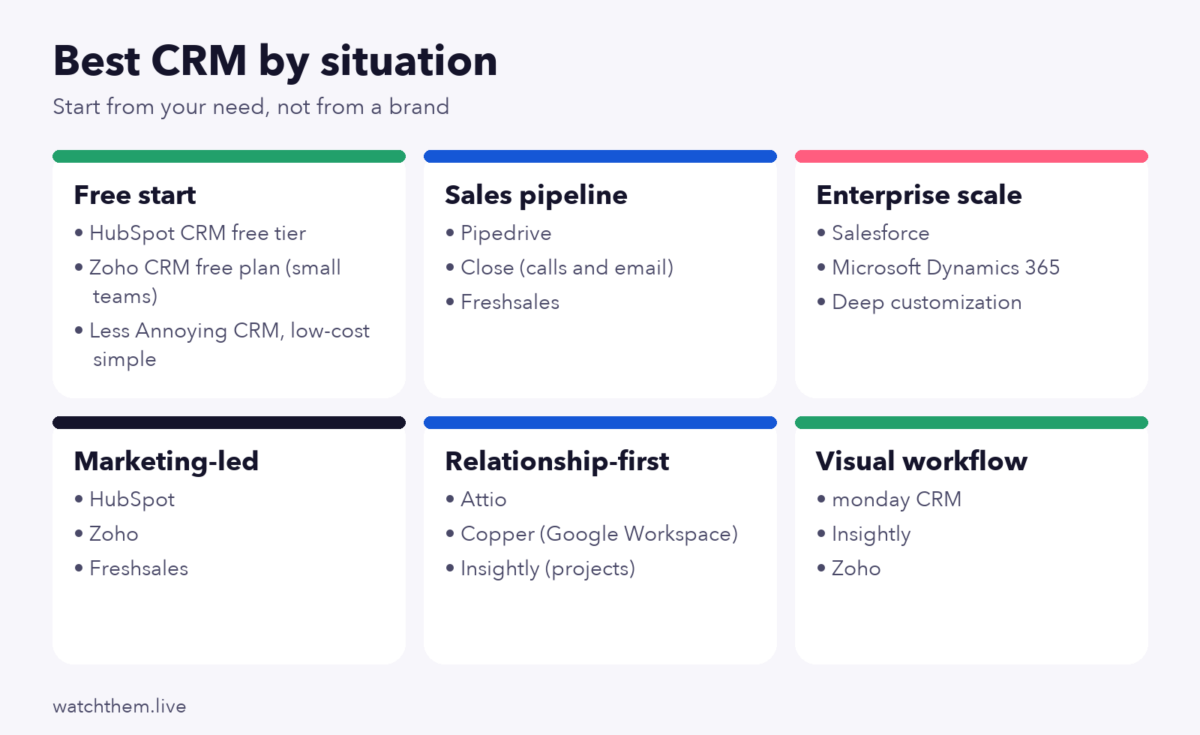
| If you need… | Start by looking at | Why |
|---|---|---|
| A free place to start | HubSpot CRM, Zoho CRM free plan | Free tiers cover contacts, deals and basic tracking for small teams |
| A simple visual sales pipeline | Pipedrive, Close | Built around deal stages and daily sales activity |
| Marketing and sales in one place | HubSpot, Zoho, Freshsales | Email, forms and lead scoring alongside the CRM |
| Deep customization at scale | Salesforce, Microsoft Dynamics 365 | Large ecosystems, flexible data models, enterprise controls |
| A relationship-first or founder CRM | Attio, Copper | Lightweight, contact-centric, tied to email and calendar |
| Project-style workflows | monday CRM, Insightly | Boards, tasks and projects around deals |
| The lowest learning curve | Less Annoying CRM, Pipedrive | Few features to configure before the team can use them |
Review sites often disagree about a single winner. Capterra’s pages are based on user reviews, Software Advice publishes its own FrontRunners ranking, and many blog roundups earn referral fees. Treat any ranking as a starting list, then test two or three yourself.
What Is CRM Software? A Short Definition
Customer relationship management (CRM) software stores every contact, company, conversation and deal in one shared place so teams stop relying on spreadsheets and inboxes. Core jobs include:
- Contact and company records with a history of emails, calls and notes.
- Pipeline management, showing each deal’s stage, value and next step.
- Task and reminder automation so no follow-up is forgotten.
- Reporting on pipeline, win rate and revenue.
- Integrations with email, calendar, forms, chat, accounting and marketing tools.
Four types of CRM
- Operational: automates sales, marketing and service workflows. This is what most small teams need.
- Analytical: focuses on analyzing customer data to find patterns.
- Collaborative: shares customer information across departments.
- Strategic: centers the whole business on customer lifetime value.
Most products mix these. Knowing which you need most keeps you from paying for modules you will not use.
The 12 Best CRM Software Options Compared
Each review uses the same format so you can compare quickly. Plan names and prices change, so the “pricing model” lines describe structure, not exact amounts.
1. HubSpot CRM: best free start for small and growing teams
- Best for: small businesses and marketing-led teams that want one platform for contacts, email and forms.
- Strengths: a free CRM tier with no expiration, an easy interface, and a large library of integrations and learning resources.
- Watch out for: costs can climb quickly when you add paid Sales, Marketing or Service hubs and more seats.
- Pricing model: free core CRM, paid tiers per seat and per hub.
2. Salesforce: best for large, complex organizations
- Best for: mid-size and enterprise teams with custom processes and dedicated administrators.
- Strengths: very deep customization, a huge partner and app ecosystem, strong reporting.
- Watch out for: setup and administration can need specialist skills, and add-ons raise the total cost.
- Pricing model: per user per month by edition, with extras for add-ons and support levels.
3. Zoho CRM: best value for money
- Best for: budget-conscious teams that want many features and customization.
- Strengths: broad feature set, a limited free plan for small teams, and a wider suite of business apps that connect to it.
- Watch out for: the interface can feel dense, and reviewers mention a learning curve and uneven support.
- Pricing model: free tier for very small teams, paid per-user tiers, usually cheaper when billed annually.
4. Pipedrive: best for sales-focused pipeline management
- Best for: small to mid-size sales teams that think in deals and stages.
- Strengths: clean visual pipeline, simple automation, quick adoption.
- Watch out for: marketing features are lighter than all-in-one suites, and there is no permanent free plan (a free trial is typical).
- Pricing model: per user per month, in tiers.
5. Microsoft Dynamics 365: best for Microsoft-centered companies
- Best for: organizations already using Microsoft 365, Teams and Azure.
- Strengths: close integration with the Microsoft ecosystem, enterprise security and scale.
- Watch out for: licensing can be complex, and implementation often needs a partner.
- Pricing model: per user by application and plan.
6. Freshsales: best for teams that want sales, phone and support together
- Best for: small and mid-size teams that also use the vendor’s support tools.
- Strengths: built-in phone and email, lead scoring, reasonable entry pricing.
- Watch out for: some AI and advanced features sit on higher tiers.
- Pricing model: per user per month, with a limited free option at times.
7. monday CRM: best for visual, board-style workflows
- Best for: teams already using monday.com boards for projects.
- Strengths: flexible boards, automations and dashboards that non-technical people can build.
- Watch out for: minimum seat counts and add-on pricing on some plans.
- Pricing model: per seat, in tiers.
8. Close: best for teams that live on calls and email
- Best for: inside-sales teams doing high-volume outreach.
- Strengths: built-in calling, SMS, email sequences and activity logging.
- Watch out for: narrower than full marketing suites.
- Pricing model: per user per month, higher tiers for automation and dialing features.
9. Attio: best for flexible, relationship-first data
- Best for: startups and teams who want to design their own data model.
- Strengths: modern interface, customizable objects, automatic syncing of email and calendar data.
- Watch out for: a younger product with a smaller ecosystem than older platforms.
- Pricing model: per seat, with a free tier for very small teams.
10. Copper: best for Google Workspace users
- Best for: small teams that live in Gmail and Google Calendar.
- Strengths: works inside Gmail, minimal manual data entry.
- Watch out for: less suited if you do not use Google Workspace.
- Pricing model: per user per month.
11. Insightly: best for project-driven businesses
- Best for: companies where closing a deal starts a delivery project.
- Strengths: links opportunities to projects and tasks.
- Watch out for: fewer integrations and a smaller community than the leaders.
- Pricing model: per user per month, in tiers.
12. Less Annoying CRM: best for simplicity
- Best for: very small businesses that want contacts, notes and follow-ups without configuration.
- Strengths: easy setup, one plan and friendly support.
- Watch out for: limited automation and reporting for larger teams.
- Pricing model: a single per-user price, with a free trial.
Feature Comparison at a Glance
| CRM | Free option | Best team size | Marketing tools | Customization |
|---|---|---|---|---|
| HubSpot | Yes (core CRM) | 1 to 500+ | Strong | Medium |
| Salesforce | Trial only | 50+ | Via add-ons | Very high |
| Zoho CRM | Yes (small teams) | 1 to 200 | Good | High |
| Pipedrive | Trial only | 2 to 100 | Basic | Medium |
| Dynamics 365 | Trial only | 50+ | Via modules | Very high |
| Freshsales | Limited | 2 to 100 | Good | Medium |
| monday CRM | Trial only | 3 to 100 | Basic | High (boards) |
| Close | Trial only | 3 to 50 | Email sequences | Medium |
| Attio | Yes (small teams) | 1 to 50 | Light | High |
| Copper | Trial only | 2 to 50 | Light | Medium |
| Insightly | Limited | 2 to 100 | Basic | Medium |
| Less Annoying CRM | Trial only | 1 to 25 | Minimal | Low |
The “free option” and “team size” columns are general positioning based on how vendors and reviewers describe their products; they may differ from current plans.
How to Choose the Best CRM Software: A 7-Question Scorecard
Score each shortlisted CRM from 1 to 5 on the questions below, then total them:
- Does it match our sales process? Can you recreate your real stages, not an idealized version?
- Will people use it? A simple tool used daily beats a powerful one that is ignored.
- Does it integrate with our email, calendar, forms and billing?
- Can it grow? Check limits on contacts, automations, custom fields and users.
- What does it really cost? Add seats, add-ons, onboarding, training and any integration fees over two years.
- Is reporting good enough? Can you see pipeline, conversion by stage and source without an analyst?
- How good are security, data export and support? You should be able to leave with your data.
Weight the questions that matter most to you: a five-person team will weigh ease of use heavily, while a regulated enterprise will weigh security and administration.
Key Features to Look For in the Best CRM Software
- Contact management: custom fields, tags, duplicate detection, activity timeline.
- Pipeline views: kanban stages, forecasts, deal values and probabilities.
- Automation: task creation, email sequences, assignment rules, reminders.
- Email and calendar sync: two-way, with templates and tracking.
- Lead capture: web forms, chat, imports and an API. See contact form marketing for ideas on filling the pipeline.
- Reporting and dashboards: conversion by stage, source and rep.
- Mobile app: logging calls and notes on the go.
- AI assistance: summaries, lead scoring and suggested next steps. Treat it as a helper, and check accuracy on your own data before relying on it.
- Permissions and audit: who can see and export what.
What a CRM Really Costs
The price per seat is only part of the bill. Estimate the total over two years:
| Cost item | What to check |
|---|---|
| Licenses | Seats × price, annual vs monthly billing, minimum seats |
| Add-ons | Marketing, calling minutes, AI, extra storage, extra automations |
| Implementation | Data import, setup, consultant or partner fees |
| Integrations | Connectors, middleware subscriptions, custom API work |
| Training and admin time | Hours per month to maintain fields, users and reports |
| Switching cost | Time to export and rebuild if you leave |
As an example, ten users at an assumed $30 per seat per month cost $3,600 a year in licenses; add $1,500 for set-up help and $600 for connectors and the first-year total is $5,700. (The numbers are illustrative, not a quote.) A cheaper plan can become the more expensive choice once add-ons arrive.
A 90-Day Plan to Choose and Launch
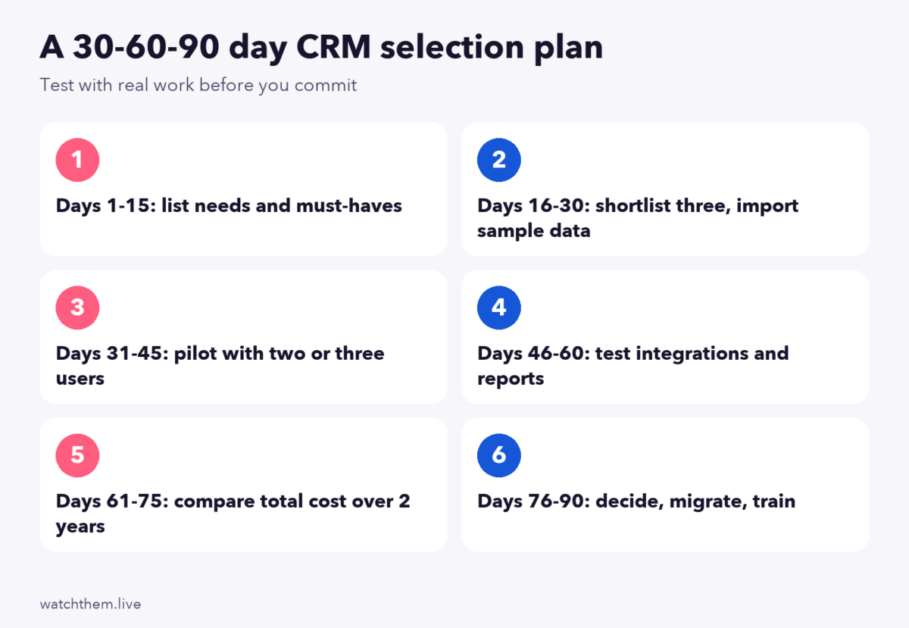
- Days 1 to 15: write down your sales stages, must-have features, integrations and budget.
- Days 16 to 30: shortlist three CRMs and import a sample of real contacts into each.
- Days 31 to 45: pilot with two or three users doing real daily work.
- Days 46 to 60: test integrations, automations and the reports you actually need.
- Days 61 to 75: compare two-year total cost and read the data export and security terms.
- Days 76 to 90: decide, clean and migrate data, train the team and set a review date.
Connect Your Website to Your CRM
A CRM is only as good as the leads and context that flow into it. A few practical steps make the biggest difference:
- Send form submissions straight into the CRM with the page, campaign and source attached, so sales sees where each lead started.
- Track the same outcomes in analytics. Mark enquiries and demo requests as key events, as explained in goal conversion rate in Google Analytics.
- Define what a qualified lead is and agree on it between marketing and sales; the sales funnel vs marketing funnel guide explains the handoff.
- Watch where visitors abandon forms. A session recording tool shows field errors and hesitation that never reach the CRM because the lead was lost before submission.
After leads enter the CRM, measure how many progress at each stage. The lead conversion guide and the funnel analysis method show how to find the stage where deals stall, and the idea of micro and macro conversions helps you decide which CRM stages to report on.
Common Mistakes When Choosing CRM Software
- Choosing on price alone. The cheapest plan can cost more once you need the features it excludes.
- Buying for features you will not use. Complexity lowers adoption.
- Skipping a pilot. A demo shows the best case; a two-week trial shows your reality.
- Poor data migration. Dirty duplicates and missing fields follow you into the new system. Clean before importing.
- No owner. Assign one person responsible for fields, users and reports.
- No training. Even simple tools need a short, practical onboarding session.
- Forgetting an exit plan. Confirm you can export all data in a usable format.
How to Get Your Team to Use the CRM
- Keep required fields to the minimum that sales needs.
- Make the CRM the single source of truth: if it is not in the CRM, it does not count in forecast meetings.
- Automate data entry where possible with email and calendar sync.
- Show every user a benefit within the first week, such as automatic reminders.
- Review dashboards together weekly so the data is visibly used.
Best CRM Software by Business Type
The right CRM also depends on how you sell. These patterns come up often:
| Business type | What matters most | CRMs to look at first |
|---|---|---|
| B2B services and agencies | Deal stages, proposals, email history, project handoff | HubSpot, Pipedrive, Insightly, Copper |
| B2B software (SaaS) | Trials, product usage data, long sales cycles, integrations | HubSpot, Salesforce, Attio, Close |
| Ecommerce | Order and customer history, segmentation, email marketing links | HubSpot, Zoho, or the store platform’s own tools plus an email system |
| Real estate and local services | Lead follow-up speed, calls, simple pipelines, mobile use | Pipedrive, Zoho, Less Annoying CRM |
| Inside sales and call centers | Calling, SMS, sequences, activity reporting | Close, Freshsales, Pipedrive |
| Enterprise and regulated industries | Security, permissions, audit logs, custom objects | Salesforce, Microsoft Dynamics 365 |
| Startups and solo founders | Speed, low cost, automatic data capture | HubSpot free tier, Attio, Copper |
Ecommerce stores deserve a special note: many sell through platforms that already include customer records and email tools. In that case a general CRM may duplicate what you have; check whether the platform’s own tools plus an email service cover your needs before adding another system.
CRM Trends to Watch in 2026
- AI assistants inside the CRM. Review roundups say AI is no longer an optional extra: tools offer call summaries, email drafts, lead scoring and suggested next steps. Quality varies, so test on your own conversations and keep a human in the loop for anything customer-facing.
- Automatic data capture. Email, calendar and call syncing reduce manual entry, which has always been the main reason CRMs fail.
- Flexible data models. Newer tools let teams define their own objects instead of forcing every business into “lead, contact, deal”.
- Tighter privacy expectations. Consent tracking, data retention and the ability to delete a person’s data are becoming standard buying criteria.
- Consolidation of tools. Many teams prefer one platform for forms, email, CRM and reporting, while others keep best-of-breed tools connected by integrations. Neither is automatically better; it depends on your team’s capacity to maintain connections.
Security, Privacy and Data Ownership Checklist
A CRM holds customer personal data, so evaluate it like any system of record:
- Does it offer role-based permissions, so interns cannot export the whole database?
- Is two-factor authentication or single sign-on available on the plan you are buying?
- Where is data stored, and does that fit your legal obligations?
- Can you export all records, notes and attachments in a standard format?
- Can you delete or anonymize an individual’s data on request?
- Are there audit logs showing who changed or exported what?
- What happens to your data if you cancel?
Ask for answers in writing and verify them in a trial. Marketing pages are not a substitute for the vendor’s security and data processing documents.
Moving from Spreadsheets to a CRM: A Safe Migration
- Back up the spreadsheet before touching anything.
- Clean the data. Merge duplicates, fix capitalization, standardize country and phone formats, remove contacts you should not keep.
- Map columns to CRM fields. Decide which become custom fields and which are dropped.
- Import a small sample first and check that deals, owners and dates arrive correctly.
- Import the rest and assign owners.
- Freeze the spreadsheet. Keep it read-only so people do not keep two sources of truth.
- Review after 30 days and adjust fields and stages based on real use.
Frequently Asked Questions
What is the best CRM software overall?
There is no single best option. HubSpot, Salesforce, Zoho CRM, Pipedrive and Microsoft Dynamics 365 are the most frequently shortlisted. HubSpot suits many small teams, Pipedrive sales-led teams, Zoho budget-conscious teams and Salesforce or Dynamics larger organizations.
What is the best free CRM?
HubSpot’s free CRM is the most commonly recommended, and Zoho and some newer tools also offer free tiers for small teams. Free plans have limits on users, records or automation, so check them against your needs.
What is the best CRM for small business?
Look at HubSpot, Zoho CRM, Pipedrive, Freshsales and Less Annoying CRM first. Choose the one your team will actually use daily after a trial.
How much does CRM software cost?
Entry paid plans from many vendors are typically in the low double digits of dollars per user per month, with higher tiers costing much more. Always include add-ons, implementation and training in your estimate.
How long does CRM implementation take?
For a small team with clean data, days to a few weeks. For larger teams with custom processes and integrations, a few months.
Do I need a CRM if I only have a few customers?
A simple or free CRM can still help with follow-ups and shared notes, but a spreadsheet may be enough at very low volume. Switch when you start missing follow-ups or when more than one person needs the same records.
CRM vs ERP: what is the difference?
A CRM manages customer relationships and sales activity. ERP software manages operations such as finance, inventory and supply chain.
How do I measure CRM ROI?
Compare before and after on lead response time, conversion by stage, sales cycle length, win rate, retention and hours saved, and subtract total cost. Allow a few months for habits to settle before judging.
Conclusion
The best CRM software for your team is the one that fits your sales process, is simple enough that your team uses it every day and costs what you can sustain over two years. Start with the situation table, shortlist three tools, run the 90-day plan with real data, and connect your forms and analytics so leads arrive with context. Then judge it by what matters: faster follow-up, clearer pipeline and more closed deals. If your next question is how good your lead flow really is, read what is a good conversion rate and compare your own numbers.
