

Page Contents

Last updated: October 2026
The fastest way to understand good UX is to look at how it solves real problems. UX design examples show principles at work: a clear hierarchy that guides the eye, an onboarding flow that gets people to value quickly, an error message that helps instead of blames. This guide explains what UX design is, then walks through seven patterns you can learn from and apply, with the rules behind them.
Instead of describing specific brands, whose designs change often and are hard to verify, we focus on patterns and the research they rest on. Where figures come from secondary sources, we say so.
What Exactly Is UX Design?
User experience (UX) design is the practice of shaping how people experience a product, from the first impression to the moment they finish a task and beyond. It covers research, structure, interaction, visual design, content and testing. Good UX makes tasks easy, clear and pleasant. Bad UX makes people think too hard, make mistakes or give up.
UX design is closely tied to results. Easier journeys usually mean more conversions, fewer support requests and more loyal customers. See CRO and UX and our guide to UX strategy for the business side.
A Quick Framework: Nielsen’s 10 Usability Heuristics
When you review any UX example, a handy checklist is the set of ten usability heuristics from Jakob Nielsen of Nielsen Norman Group. They were refined from earlier versions starting in 1990 and are general rules of thumb, not strict rules:
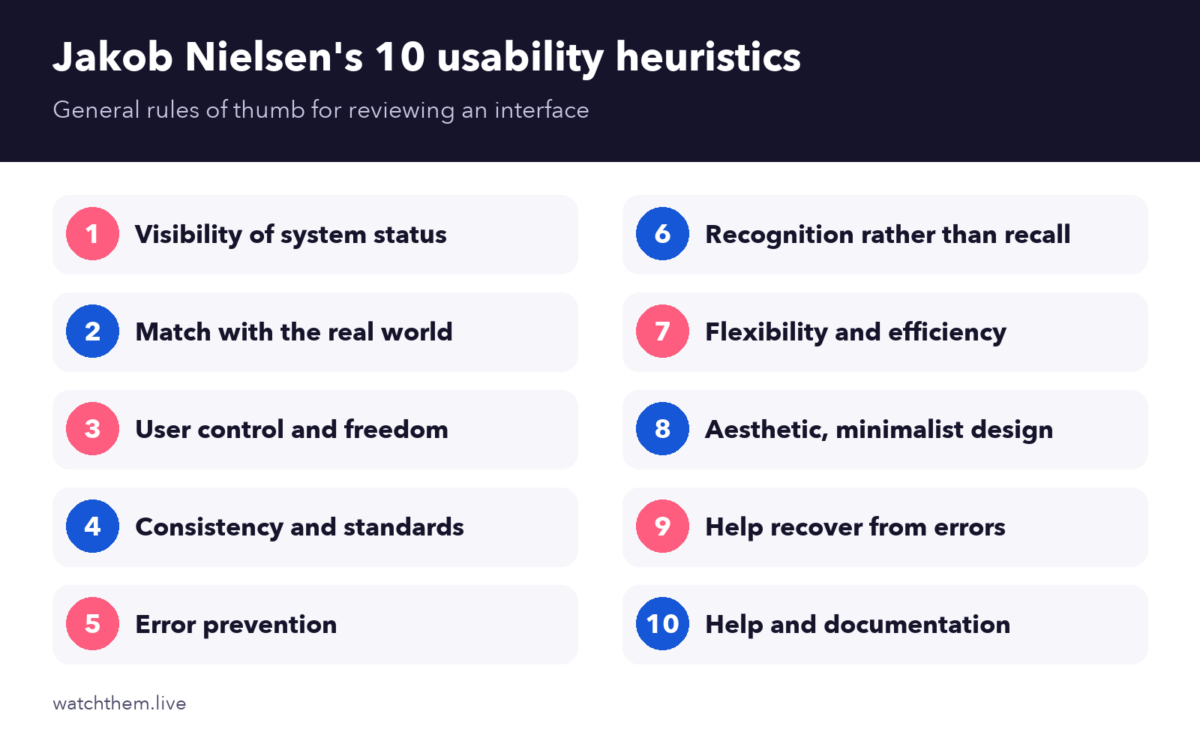
- Visibility of system status
- Match between the system and the real world
- User control and freedom
- Consistency and standards
- Error prevention
- Recognition rather than recall
- Flexibility and efficiency of use
- Aesthetic and minimalist design
- Help users recognize, diagnose and recover from errors
- Help and documentation
We use these as a lens in the examples below.
7 UX Design Examples and Patterns to Learn From
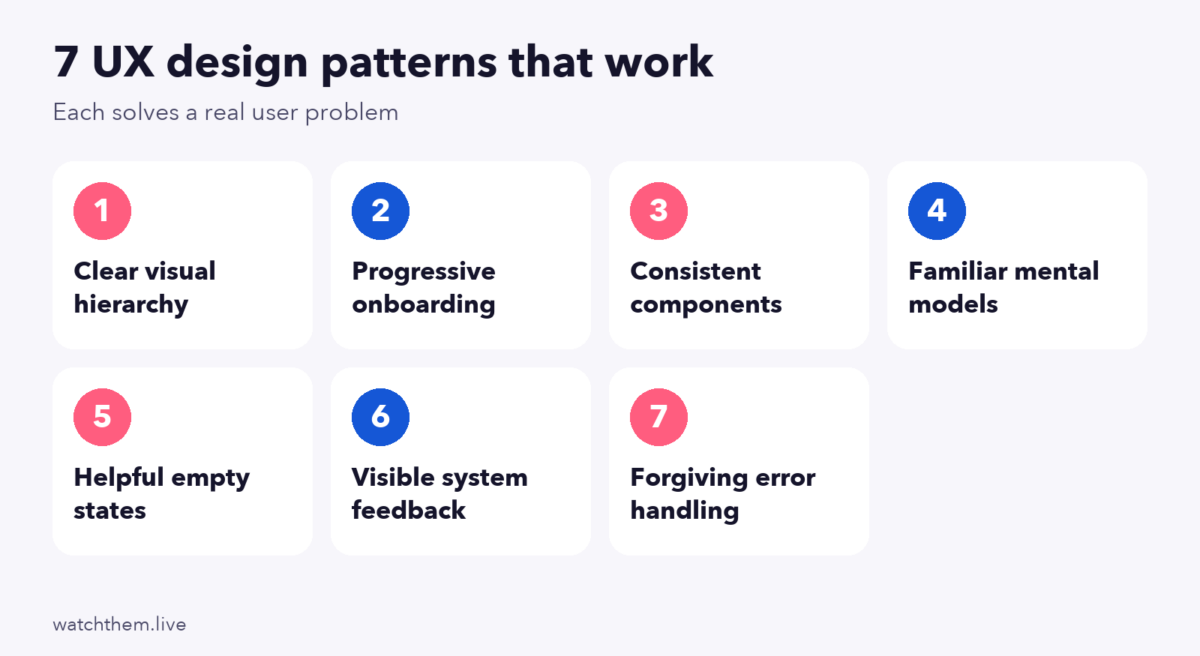
1. Clear Visual Hierarchy
The pattern: size, color, weight and spacing show what matters most. A large headline, a smaller supporting line and one high-contrast button tell visitors exactly where to look and what to do.
Why it works: people scan rather than read. A strong hierarchy reduces effort and speeds up decisions. It relies on contrast, one of the four CRAP design principles.
Try it: squint at your page. If you cannot tell the main message and button, increase the contrast between them and everything else. Check text contrast against the WCAG minimum of 4.5:1 for normal text.
2. Progressive Onboarding
The pattern: new users learn the product step by step, with a short setup, a first success and contextual hints, instead of a long tour.
Why it works: attention fades fast. A 2016 analysis of Android data from 2015 found that the average app lost about 77% of daily active users within three days. The sample is old and limited, but it shows why the first session matters.
Try it: define the single action that shows value, and remove everything between sign-up and that action. See user onboarding in UX design.
3. Consistent Components and Behavior
The pattern: buttons, forms, icons and navigation look and behave the same everywhere. Colors carry the same meaning across pages.
Why it works: consistency lets users transfer what they learned from one screen to the next, which is Nielsen’s fourth heuristic. Repetition also builds trust.
Try it: build a small design system with a color palette, two fonts, button styles and a spacing scale, and use it on every page. See website layout for structure.
4. Familiar Mental Models
The pattern: the interface works the way people expect from other products. Cart icons look like carts, the logo links home and checkout follows a recognizable order.
Why it works: Jakob’s law says that users spend most of their time on other sites, so they prefer yours to work like the ones they already know. Innovation is welcome in value, not in basic controls.
Try it: use standard patterns for navigation, search and checkout, and save novelty for the parts that make your product different.
5. Helpful Empty States and Placeholders
The pattern: when a screen has no data yet, such as an empty cart or an empty dashboard, it explains why and offers a clear first action, perhaps with sample content.
Why it works: a blank screen leaves people guessing, while a helpful one turns a dead end into a next step. It supports “recognition rather than recall.”
Try it: review every empty, loading and error state in your product. Each should say what is happening and what to do next.
6. Visible System Feedback
The pattern: the interface confirms actions right away: a button changes state when pressed, a progress bar shows loading, a message confirms a saved change.
Why it works: it follows the first heuristic, visibility of system status. Responsiveness also matters technically: Google’s Core Web Vitals treat an Interaction to Next Paint of 200 milliseconds or less as good.
Try it: click every control on a slow connection. If nothing happens for a moment, add feedback.
7. Forgiving Error Handling
The pattern: the design prevents mistakes with clear labels, sensible defaults and confirmations for risky actions, and, when mistakes happen, explains them in plain language and offers a fix.
Why it works: it follows error prevention and “help users recover from errors.” Roundups that cite Baymard Institute research list forced account creation and long, complicated checkouts among the reasons shoppers abandon carts, so reducing form errors and friction pays off.
Try it: put error messages next to the field, say what went wrong and how to fix it, and keep what the user typed. See checkout page design.
UX Laws That Explain Why These Patterns Work
Several named principles appear again and again. They come from psychology and are collected on the site and in the book Laws of UX by Jon Yablonski:
- Jakob’s law: people expect your site to work like the sites they already use.
- Fitts’s law: the time to reach a target depends on its distance and size, so make important buttons large and easy to reach.
- Hick’s law: decision time grows with the number and complexity of choices, so reduce options at key moments.
- Miller’s law: working memory is limited, so present information in small chunks.
Treat them as guides, not strict rules. For more, see our guide to UX design principles.
UX Design Examples for Different Product Types
- E-commerce: product pages with large images, clear prices and visible shipping terms, and a checkout with guest purchase and few fields. Baymard’s 2024 benchmark reported an average of about 11.3 form fields in a checkout, so trimming fields is a direct UX win.
- SaaS and web apps: sample data on first login, a short checklist and in-context help, so new users reach value quickly.
- Content and media sites: readable line lengths, clear headings, related links at the end of articles and fast loading images.
- Lead generation sites: a focused page with one form, proof near the button and a clear statement of what happens after submission.
- Mobile apps: thumb-friendly controls, minimal typing with autofill and permissions requested only when the reason is clear.
In each case the same questions apply: Can users tell what to do? Do they get feedback? Can they recover from mistakes? Run through them on your own screens, ideally while watching a few real visitors use the page.
How to Learn From UX Examples the Right Way
- Name the problem the example solves, not just what it looks like.
- Check it against the heuristics, to see which one it satisfies.
- Test it on your audience. A pattern that works in another product may not fit yours. Run A/B tests or watch session recordings.
- Measure the effect with the right metrics. See UX metrics.
- Start small. Apply one pattern, measure it and expand.

Common UX Mistakes These Examples Help Avoid
- Everything looks equally important, so nothing stands out.
- Inconsistent controls, which force users to relearn the interface.
- Hidden status, where users cannot tell if something worked.
- Too many choices, which slows decisions.
- Unhelpful errors, such as “Something went wrong.”
- Copying a design without understanding why it works.
Frequently Asked Questions About UX Design Examples
What is a good example of UX design?
A good example solves a real user problem clearly: a checkout with few fields and clear errors, an onboarding flow that leads to a first success or a page with a strong visual hierarchy.
What are the key principles of good UX?
Clarity, consistency, feedback, error prevention, familiarity and simplicity, summarized in Nielsen’s ten usability heuristics.
How do I evaluate a UX design?
Review it against the heuristics, watch real users, check metrics such as task success and conversion, and gather feedback.
Should I copy successful UX designs?
Learn from the principles, not the surface. Test any pattern on your own audience before you roll it out.
How many users do I need to test a design?
Five to ten users often reveal most major usability problems, based on Nielsen and Landauer’s model as summarized in secondary sources, but they cannot give a reliable quantitative rate.
Conclusion
Good UX design examples share a few habits: they make the main action obvious, keep things consistent, show feedback, respect what users already know and help people recover from mistakes. Use Nielsen’s heuristics and the UX laws as a lens, test patterns on your own audience and measure the results. Learning why an example works is far more valuable than copying how it looks.
