

Page Contents

Last updated: October 2026
Building a website is one job. Knowing whether people can actually use it is another. UX metrics turn the vague idea of “good user experience” into numbers you can track, compare and improve. They show whether visitors find what they need, complete tasks without frustration and want to come back. A better experience usually means more satisfied customers and better business results.
This guide explains why UX metrics matter, how to choose the right ones with the HEART framework and the goals-signals-metrics method, and which behavior, attitude and performance metrics to track in 2026. Where figures come from secondary sources and vary, we say so.
Why Should You Track UX Metrics?
User experience begins the moment someone lands on your site and ends only when they stop using it, so it is easy to assume everything is fine when it is not. Tracking UX metrics helps you:
- Replace opinions with evidence. Design debates end faster when you can point to task completion or satisfaction data.
- Find problems early. A drop in task success or a rise in errors often appears before sales fall.
- Prove the value of design work. Showing that a redesign raised satisfaction and conversion makes the case for more investment.
- Prioritize fixes. Metrics show which problems affect the most people.
- Connect UX to revenue. UX data sits next to conversion rate and other website metrics in a complete picture of performance. Our article on CRO and UX explains how they work together.
How to Choose the Right UX Metrics for Your Product
There are dozens of possible UX metrics, so choosing a few that match your goals is more useful than tracking everything.
1. The HEART Framework
HEART was developed in 2010 by Kerry Rodden, Hilary Hutchinson and Xin Fu of Google’s research team and presented at the ACM CHI conference. It organizes UX measurement into five categories:
- Happiness: how users feel, measured with satisfaction surveys, ratings or Net Promoter Score.
- Engagement: how deeply and often people use the product, such as visits per user or features used.
- Adoption: how many new users start using the product or a new feature, such as sign-ups or first purchases.
- Retention: how many users come back over time.
- Task success: how well people complete key tasks, including completion rate, errors and time on task.
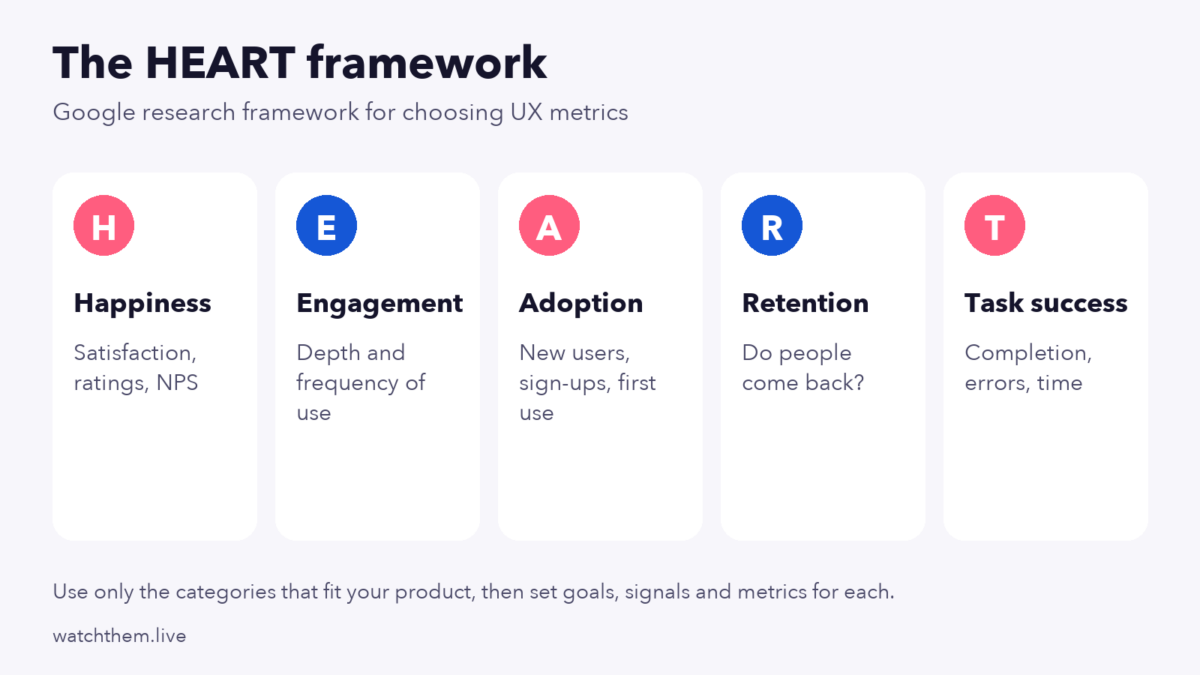
The authors note that you do not need every category. Engagement may matter less for a tool people must use at work, for instance. Pick the categories that fit your product.
2. Goals, Signals and Metrics
HEART works best with a simple three-step process for each category you choose:
- Goal: what you want to achieve, such as “make checkout effortless.”
- Signal: how you would know you are succeeding, such as “fewer people abandon the checkout.”
- Metric: the number that measures the signal, such as “checkout abandonment rate” or “task success rate for placing an order.”
This keeps your dashboard tied to real goals, instead of a long list of numbers. It also fits with customer-centric marketing, where decisions start from what customers need.
What Are the Most Important UX Performance Metrics?
UX metrics fall into three groups: what users do (behavior), what they think (attitude) and how well the site performs (technical).
Behavior Metrics: What Users Do
1. Conversion Rate
The share of visitors who complete a goal is the ultimate behavior metric. If your UX improves, conversion should follow. In GA4 this is reported as a key event rate. See how to calculate conversion rate.
2. Task Success Rate
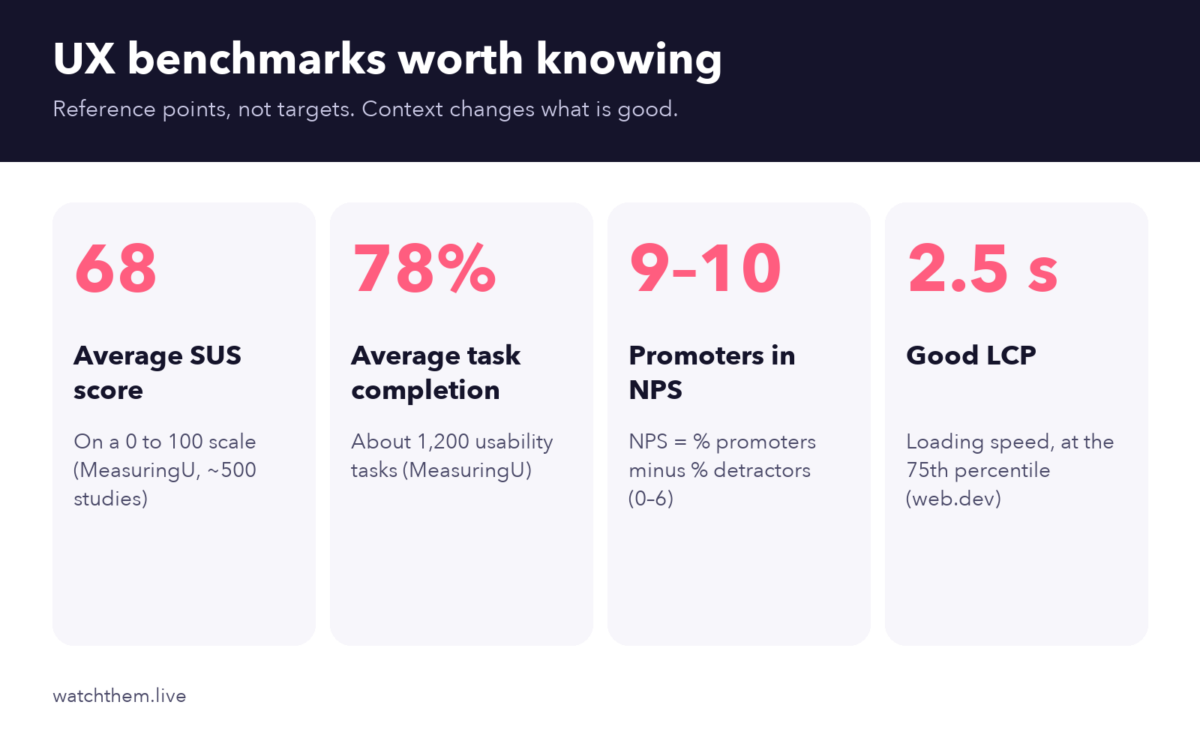
The percentage of users who complete a specific task, such as finding a product or booking an appointment. MeasuringU’s analysis of almost 1,200 usability tasks found an average completion rate of about 78%. Use that as a reference point, not a target, because context matters.
3. Time on Task and Error Rate
How long it takes to complete a task, and how often users make mistakes, show how easy a flow is. Long times and frequent errors usually point to confusing labels, layouts or forms.
4. Abandonment Rate
The share of people who start a process, such as a cart or a form, and leave before finishing. Roundups that cite Baymard Institute research put average cart abandonment near 70%, with unexpected costs, forced account creation and low trust among the top reasons. See our guides to shopping cart design and funnel analysis.
5. Engagement and Retention
In GA4, engagement rate shows the share of sessions that last more than 10 seconds, include a key event or have two or more page or screen views. Returning visitors and repeat purchase rate show whether people find lasting value.
6. Average Order Value
For online stores, average order value reflects how easily customers find, trust and buy more products.
Attitude Metrics: What Users Think
1. Customer Satisfaction Score (CSAT)
CSAT asks users to rate their satisfaction with an interaction, usually on a scale of 1 to 5. It is quick and useful right after a purchase or a support chat.
2. Net Promoter Score (NPS)
NPS, created by Fred Reichheld at Bain & Company, asks how likely users are to recommend you on a scale of 0 to 10. Promoters answer 9 or 10, passives 7 or 8 and detractors 0 to 6. The score is the percentage of promoters minus the percentage of detractors, so it ranges from minus 100 to 100.
3. System Usability Scale (SUS)
SUS is a ten-statement questionnaire that produces a score from 0 to 100. MeasuringU’s data from roughly 500 studies puts the average at about 68, which sits at the 50th percentile. Remember that SUS is not a percentage: a score of 68 is average, not a 68% pass.
4. SUPR-Q
SUPR-Q is a standardized questionnaire for websites developed by MeasuringU’s Jeff Sauro. It covers areas such as usability, credibility and trust, loyalty and appearance, and it compares your result with a database of other sites.
Technical and Accessibility Metrics
Speed and stability are part of the experience. Google’s Core Web Vitals give clear targets, measured at the 75th percentile of page loads: Largest Contentful Paint (LCP) of 2.5 seconds or less, Interaction to Next Paint (INP) of 200 milliseconds or less and Cumulative Layout Shift (CLS) of 0.1 or less. A Deloitte study for Google found that a 0.1-second mobile speed gain lifted retail conversion by about 8.4%.
Also check accessibility. The Web Content Accessibility Guidelines ask for a text contrast ratio of at least 4.5:1 for normal text, and WCAG 2.2 sets a minimum target size of 24 by 24 CSS pixels for many controls. See CRAP design principles for design basics.
How to Collect UX Data
- Analytics show what people do at scale, such as conversion, engagement and drop-off.
- Session recordings show how individuals struggle, hesitate or give up, including rage clicks and errors.
- Heatmaps reveal which elements get clicks and where scrolling stops.
- Surveys and feedback collect CSAT, NPS and open comments. See how to get accurate user feedback.
- Usability tests with five to ten users uncover most major problems in a flow.
- A/B and multivariate tests show which design works better. Read about multivariate testing and landing page testing.


How to Build a UX Metrics Dashboard
- Choose three to six metrics across behavior, attitude and performance.
- Set a baseline so you know what normal looks like.
- Segment the data by device, new versus returning users and traffic source.
- Review on a schedule: weekly for behavior numbers and quarterly for surveys such as SUS or NPS.
- Link metrics to actions. For each metric, decide what you will do when it moves in the wrong direction.
Common UX Metrics Mistakes
- Tracking only vanity numbers, such as page views, without task success or satisfaction.
- Using only quantitative data. Numbers say what happened, not why.
- Over-trusting benchmarks. Averages such as 68 for SUS or 78% for task success are reference points only.
- Surveying too rarely or too often, which gives stale or fatigued responses.
- Ignoring segments. A good average can hide a bad mobile experience.
- Measuring without acting. Every metric should lead to a decision.
Frequently Asked Questions About UX Metrics
What are UX metrics?
UX metrics are measurements of how easy, efficient and satisfying it is for people to use your website or product, including behavior, attitude and performance data.
What is the HEART framework?
HEART is a framework from Google researchers that groups UX metrics into Happiness, Engagement, Adoption, Retention and Task success.
What is a good SUS score?
The average SUS score is about 68, based on MeasuringU’s data. Scores above 68 are above average, and scores around 80 or higher are considered excellent.
How is NPS calculated?
Subtract the percentage of detractors (scores 0 to 6) from the percentage of promoters (scores 9 and 10). Passives (7 and 8) are counted in the total but not in the subtraction.
How many UX metrics should I track?
Start with three to six that match your goals, spread across behavior, attitude and performance, and add more only when you have a clear question to answer.
Conclusion
UX metrics turn user experience into something you can manage. Choose a small set using the HEART framework, track behavior with analytics, recordings and heatmaps, measure attitude with CSAT, NPS and SUS and keep an eye on speed and accessibility. Review regularly, act on what you learn and your site will become easier to use and more profitable.
