
Page Contents
Last updated: October 2026
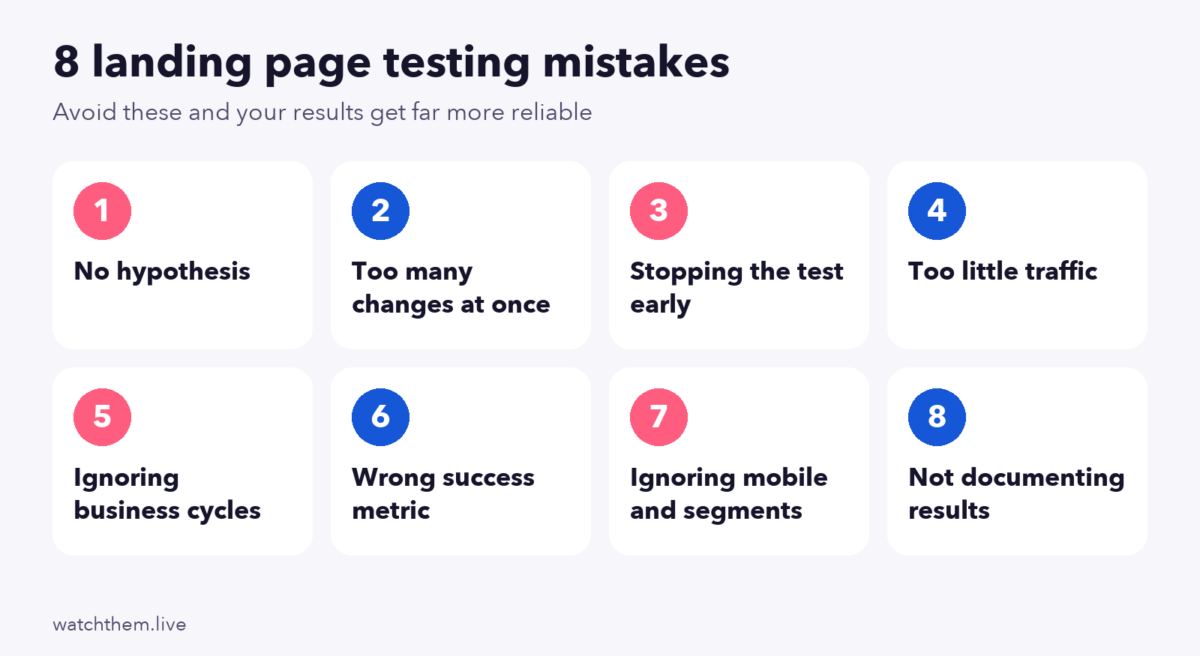
A landing page is where your ad spend meets a visitor’s decision, so it is one of the most valuable pages to test. But testing is easy to do badly. Many teams run experiments that look scientific and still reach the wrong conclusion, ship changes that never worked or give up before they learn anything. This guide covers the eight worst landing page testing mistakes and how to avoid each one, plus a few page-level mistakes that no test will fix for you.
If you are new to the topic, start with our full guide to landing page testing. Where figures come from secondary summaries, we say so.
How to Test a Landing Page: A Quick Refresher
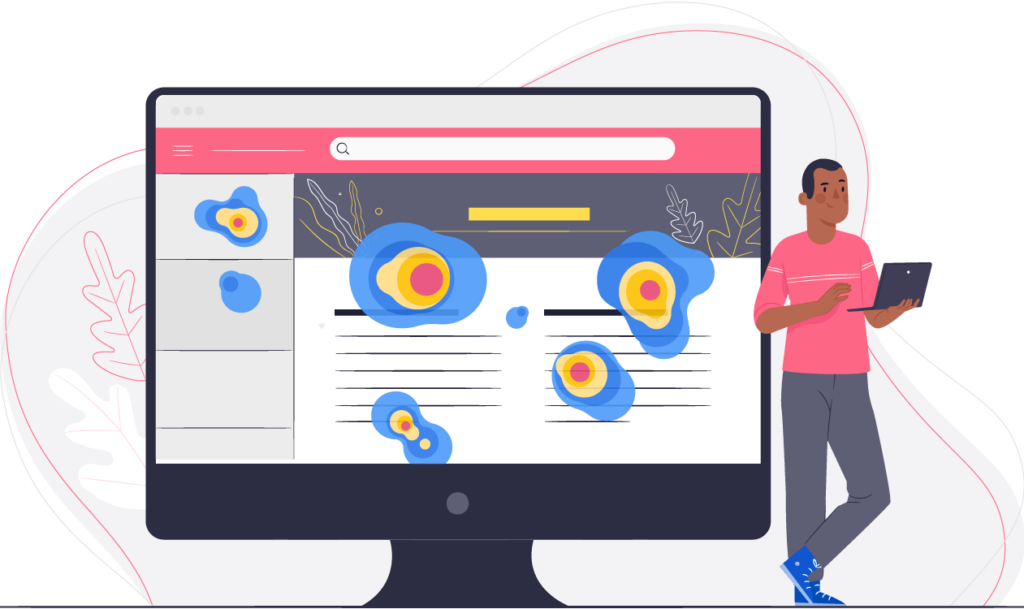
A reliable test follows a simple order: find a problem with analytics, recordings and heatmaps, write a hypothesis, change one thing, split traffic randomly, run the test for a planned period and analyze the result. The mistakes below are all ways of breaking that order.
Why Is Landing Page Testing So Important?
Landing pages are where many campaigns win or lose. Unbounce’s 2024 Conversion Benchmark Report, based on over 41,000 landing pages, reported a median landing page conversion rate of about 6.6% across industries, with large differences by sector. A page that falls well below its sector’s median is wasting traffic, and testing is the safest way to improve it, because it lets you try ideas on part of your audience before committing to them. Landing pages are also part of the wider conversion rate optimization process.
Top 8 Worst Mistakes in Landing Page Testing
1. Testing Without a Hypothesis
Changing a button color “to see what happens” teaches you little, even if the new version wins. A hypothesis has three parts: a change, an expected result and a reason, for example “If we shorten the form from seven fields to four, more visitors will finish it, because recordings show most abandon at the phone number.” The reason forces you to base the test on evidence, and it tells you what to try next whether you win or lose.
How to avoid it: write the hypothesis before you build the test, and base it on research from session recordings, heatmaps and surveys.
2. Changing Too Many Things at Once
If you change the headline, the image, the button and the form in a single variation and it wins, you will not know which change mattered, and the next test starts from nothing. A full redesign test can still be valid, but then you are testing a package, not learning about individual elements.
How to avoid it: test one meaningful change at a time. If you want to test combinations, use multivariate testing, which needs much more traffic. See multivariate testing.
3. Stopping the Test Early
It is tempting to end a test the moment one version looks better. This is known as the peeking problem, and it is one of the most common errors in online experiments. If you check results repeatedly and stop at the first “significant” reading, you inflate your false-positive rate well above the 5% you think you have. In one widely quoted simulation by Wish engineers, based on 1,000 tests where there was no real difference, analyzing once at the planned end gave about 4.7% false positives, but stopping at the first reading below p = 0.05 gave about 21%. This figure comes from a secondary summary, and the exact rate depends on how often you look, but the direction is clear.
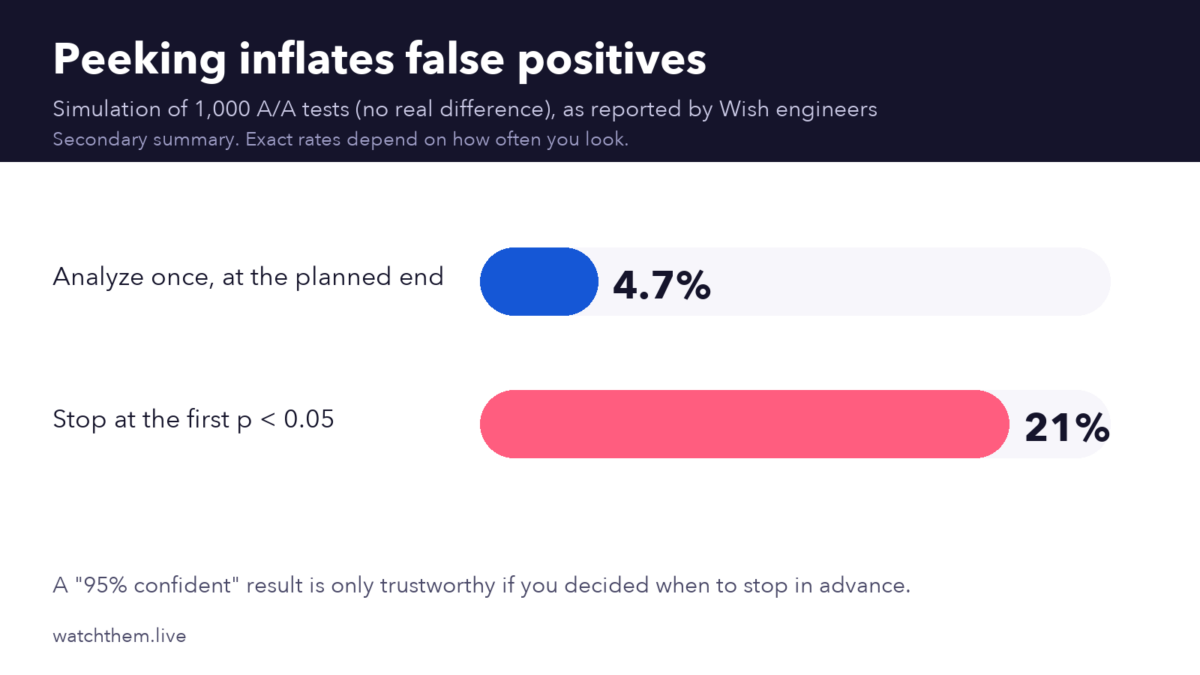
How to avoid it: decide the sample size and duration before you start, and do not stop early. If you need to monitor results continuously, use a method designed for it, such as sequential testing, instead of a fixed-sample test.
4. Testing With Too Little Traffic
Small samples produce noisy results. If your page gets only a few hundred visitors and a handful of conversions a month, a test may take months and still be inconclusive. You may then take random noise for a real effect.
How to avoid it: estimate the sample size you need, based on your baseline conversion rate and the smallest lift you care about, before you start. As a rough guide, aim for at least a few hundred conversions per variation. If traffic is low, test bigger changes, run tests longer (low-traffic sites often need four to eight weeks) or rely on qualitative research and before-and-after comparisons.
5. Ignoring Business Cycles and Seasonality
Visitors behave differently on weekdays and weekends, at the end of the month and during sales or holidays. A test that runs from Monday to Friday misses weekend behavior entirely, and a test during a promotion may not reflect normal weeks.
How to avoid it: run tests for at least one to two full business cycles, often two weeks, avoid starting right before major events and note any campaigns that overlap.
6. Choosing the Wrong Success Metric
Clicks on a button are easy to measure but do not always lead to revenue. A headline that gets more clicks but attracts the wrong people can lower sales or lead quality. Likewise, a test measured only on form submissions may raise junk leads.
How to avoid it: choose a primary metric tied to the real goal, such as purchases or qualified leads, and track secondary metrics such as bounce, revenue per visitor and lead quality. Track smaller steps as micro conversions, but do not declare a winner on them alone. See UX metrics for more.
7. Ignoring Mobile and Segments
An overall win can hide a loss for one group. A layout that works well on desktop might hurt mobile visitors, who are the majority of web traffic: Statcounter data for 2025 put mobile at roughly 60% to 63% of global web traffic. Different sources and audiences also respond differently.
How to avoid it: check results by device, traffic source and new versus returning visitors, and design for mobile first. See mobile CRO. Treat segment findings as ideas for follow-up tests, since slicing results into many segments can also create false patterns.
8. Not Documenting or Acting on Results
A test is only useful if the result is recorded and used. Teams that do not keep a log repeat old experiments, and teams that do not roll out winners, or learn from losers, waste the effort. Not every test wins: a 2014 VWO survey of its customers found that about one in seven A/B tests produced a winner, so losing tests are normal and informative.
How to avoid it: keep a test log with the hypothesis, setup, result and learning. Roll out winners promptly, and use each result to shape the next hypothesis. For a full process, see how to build a CRO program.
Page Mistakes That Testing Will Not Fix
Testing improves a page, but it cannot rescue a page with basic problems. Fix these first, using our landing page checklist:
- Foggy headlines. If visitors cannot tell what you offer in a few seconds, they leave. State the benefit clearly and match it to the ad.
- Poorly placed calls to action. The main button should be easy to find, specific in wording and high in contrast. Repeat it after key sections.
- Clutter and heavy images. Too many images, sliders and links distract from the goal, and big files slow the page. Google’s Core Web Vitals target a Largest Contentful Paint of 2.5 seconds or less.
- Unnecessary steps. Extra pages and form fields lose people. A VWO test found that removing three form fields raised conversions by 11%.
- Mismatch with the ad. If the page does not deliver what the ad promised, visitors bounce.
How to Prevent Landing Page Testing Mistakes
- Fix the basics first. Review the page against a checklist and repair obvious problems.
- Research before testing. Use analytics, recordings, heatmaps and feedback to find real problems.
- Write a clear hypothesis and a primary metric before you build the test.
- Plan sample size and duration and commit to them.
- Run one change at a time and keep the rest of the page stable.
- Check tracking. Test that your events fire correctly on every variation before launch.
- Analyze segments carefully, then plan follow-up tests.
- Document everything and share what you learned.
For more, read about CRO testing and the preparations to make before you start, and compare tools in our guide to CRO tools.
Frequently Asked Questions About Landing Page Testing Mistakes
What is the biggest landing page testing mistake?
Stopping tests too early is among the most common and most damaging, because early results swing widely and can make a random difference look like a win.
How long should I run a landing page test?
Calculate the sample size you need first, then run for at least one to two full business cycles, often two weeks or more. Low-traffic sites may need four to eight weeks.
How many changes should I test at once?
One meaningful change per A/B test is the safest. Test combinations only with multivariate testing and enough traffic.
What if I do not have enough traffic to test?
Use research-led fixes, test bigger changes, run longer tests and rely on recordings, heatmaps and feedback instead of statistics alone.
What metric should I use to pick a winner?
Choose the metric closest to your business goal, such as purchases or qualified leads, and use clicks and other micro conversions as supporting signals.
Final Thoughts
Most landing page testing mistakes come from rushing: no hypothesis, too many changes, too little traffic or stopping too soon. Slow down at the start, plan the test, run it to the end, check the right metric and record what you learn. Fix the basic problems first, and then let testing find the improvements you could not see on your own.
