
Page Contents
Last updated: October 2026
A landing page has a single purpose: to get a visitor to take one action. Because so many small details affect that decision, it is easy to launch a page that looks good but misses something important, such as a vague headline, a slow mobile load or a form with too many fields. A landing page checklist helps you review every element before you spend money on traffic.
This guide gives you a practical checklist in nine areas, with the data behind the most important points. Use it before launch, and again whenever conversions drop. For testing ideas after launch, see our guide to landing page testing.
Why Do You Need a Landing Page Checklist?
Landing pages are where your ads, emails and search results turn into leads or sales. If one element fails, every visitor you pay for pays the price. A checklist helps because it:
- Makes sure no essential element is forgotten, especially when several people work on one page.
- Creates a standard you can reuse for every new campaign.
- Speeds up reviews, so you find problems before visitors do.
- Gives you a baseline to compare against when you test changes.
Landing pages are a core part of conversion rate optimization, and the best ones are built around a clear goal: one page, one offer, one main action.
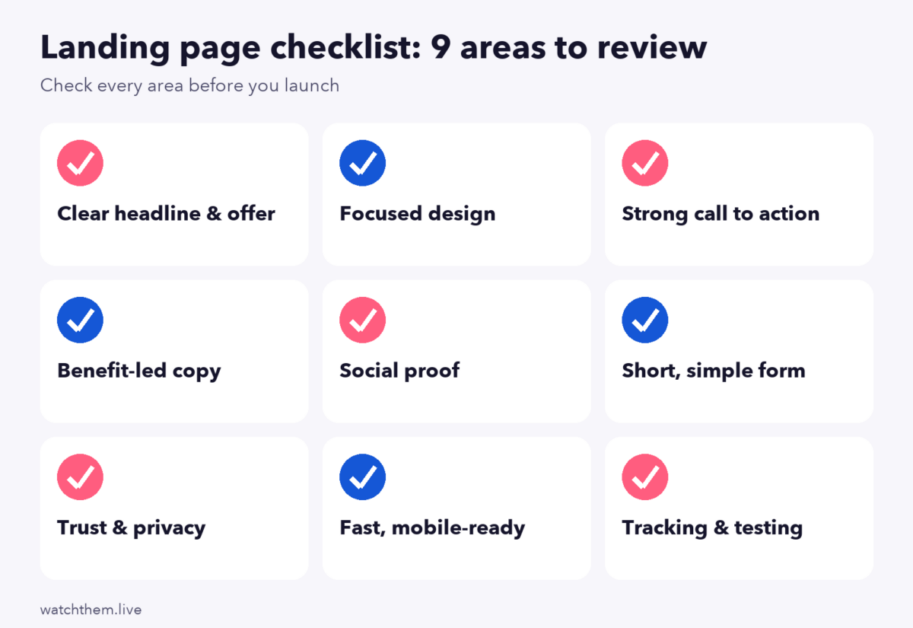
The Landing Page Checklist
1. Headline and Offer
- The headline states the main benefit. Visitors should understand within a few seconds what you offer and why it matters to them.
- It matches the ad or link that brought them. Message match reduces confusion and bounces. If the ad promises a free guide, the headline should too.
- The subheadline adds detail. Use it to explain how the offer works or who it is for.
- The offer is specific. Say exactly what the visitor gets, such as “a 14-day trial” or “a free 20-page checklist.”
2. Design and Layout
- The page has one goal. Remove anything that competes with the main action.
- Navigation is minimal. Many landing pages drop the full menu so visitors are not tempted to leave.
- The hero image or video supports the message. Show the product in use, or the result the visitor wants. Avoid generic stock photos. See our article on visual representation for design principles.
- The visual hierarchy is clear. The eye should move from the headline to the benefits to the call to action without effort.
- Text is easy to read. The Web Content Accessibility Guidelines (WCAG) ask for a contrast ratio of at least 4.5:1 for normal text and 3:1 for large text. Good contrast helps every visitor, not just people with low vision.
- White space is used well. Spacing makes sections easier to scan.
3. Call to Action (CTA)
- There is one primary CTA. Repeat it at logical points, but avoid offering several different actions.
- The button text is specific. “Get my free quote” is clearer than “Submit.”
- The button stands out. Use a color with strong contrast against the background. WCAG also asks for at least 3:1 contrast for interactive components.
- It is easy to tap. WCAG 2.2 sets a minimum target size of 24 by 24 CSS pixels, and larger is better on mobile.
- It appears above the fold and again after the main benefits and testimonials.
4. Copy and Benefits
- The copy focuses on benefits, not features. Explain what each feature does for the visitor.
- Language is simple. Unbounce’s 2024 benchmark report found that landing pages written at a fifth to seventh grade reading level converted at about 11.1%, against about 7.1% for pages at an eighth or ninth grade level.
- Paragraphs are short and broken up with bullet points and subheadings.
- Objections are answered. Add a short FAQ for questions about price, cancellation or setup.
5. Social Proof
- Testimonials are real, with a name, photo and company where possible.
- Ratings, review counts and client logos appear near the call to action.
- Results are specific. “Cut onboarding time by 30%” is more convincing than “Great product.”
- Everything is current and true. Fake or outdated proof hurts trust and may break advertising rules.
6. Forms
- The form asks only for what you need. Fewer fields generally mean more completions. HubSpot’s analysis of more than 40,000 landing pages found that plain text fields had little effect, but multiple text areas and drop-downs lowered conversions. In one VWO test, removing three fields raised overall conversions by 11%.
- Labels are clear and error messages explain how to fix the problem.
- Autofill works and the right keyboard appears for email and phone fields on mobile.
- You tell visitors what happens next, for example “We will email your guide in a minute.”
- Consider a multi-step form for longer requests, and test it against a single-step version.
7. Trust and Compliance
- The page uses HTTPS and shows security badges where payments are involved.
- Privacy policy and terms links are visible near the form.
- Consent is handled correctly. If you collect data from visitors in the EU, check your cookie consent and email opt-in against GDPR rules. Read about our GDPR compliance for an example of what to document.
- Contact details or a live chat link are easy to find.
- Guarantees and refund terms are clear, when they apply.
8. Speed and Mobile Experience
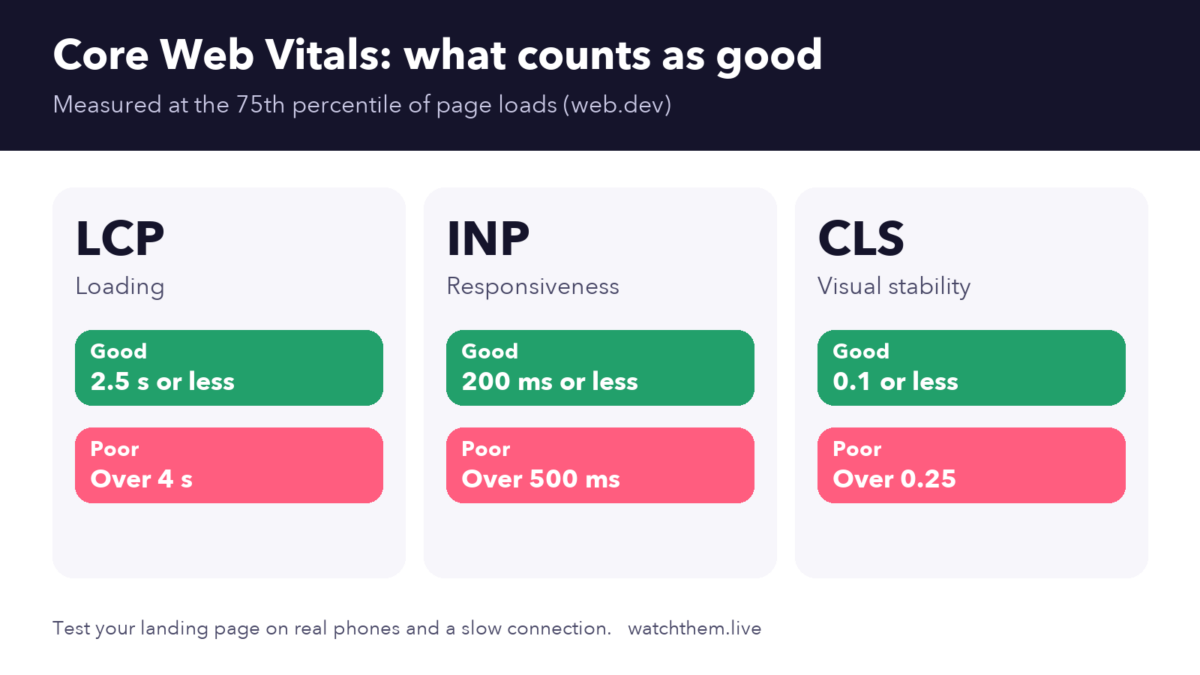
Slow pages lose visitors before they see your offer. Google’s Core Web Vitals give clear targets, measured at the 75th percentile of page loads: Largest Contentful Paint (LCP) of 2.5 seconds or less, Interaction to Next Paint (INP) of 200 milliseconds or less, and Cumulative Layout Shift (CLS) of 0.1 or less.
- Images are compressed and use modern formats, with sizes set to prevent layout jumps.
- Scripts are limited. Remove unused trackers, chat widgets and fonts.
- Caching and a CDN are set up.
- The page is built mobile-first, not just shrunk from desktop. Check it on real phones. See our guide to mobile CRO.
- Pop-ups do not cover the content on small screens and can be closed easily.
9. Tracking, Testing and SEO
- Goals are tracked. Set up your main conversion and the micro conversions that lead to it, such as button clicks, video plays and form starts.
- Campaign tags (UTM parameters) are in place, so you know which source produced each lead.
- Behavior tools are installed to record sessions and heatmaps from day one.
- The page has a unique title and description, one H1 and descriptive image alt text, if you want it to rank in search.
- A testing plan exists. Decide which elements you will test first and how you will judge success.
How Do You Audit a Landing Page With This Checklist?
A landing page checklist tells you what should be on the page. An audit tells you how it performs with real visitors. Follow this process:
- Run through the landing page checklist above and note every gap.
- Check the numbers. Review conversion rate, bounce rate, time on page and traffic source in your analytics. Compare with a benchmark such as Unbounce’s reported median landing page conversion rate of about 6.6% across industries, keeping in mind that medians vary a lot by sector.
- Watch real sessions. Session recordings show where visitors hesitate, scroll past the offer or abandon the form.
- Study the heatmaps. Heatmaps show which elements get clicks and where attention stops.
- Collect feedback. A short on-page survey or user feedback reveals concerns that numbers cannot.
- Prioritize fixes by expected impact and effort, then test the biggest changes.

For a full review of your site, see our CRO audit guide, and for a deeper look at design and user experience, read CRO and UX.
Common Landing Page Mistakes
- Sending paid traffic to the home page instead of a page built for the offer.
- Using several competing calls to action, which splits attention.
- Hiding the offer below a large image.
- Asking for too much information too soon.
- Ignoring mobile and speed, then wondering why ad spend produces few leads.
- Never testing. Treating launch as the finish line instead of the start of improvement. Read more about lead conversion.
Landing Page Checklist: Frequently Asked Questions
What should a landing page checklist include?
At minimum: a clear headline and subheadline, a supporting image or video, a list of benefits, social proof, a strong call to action, a short form if you collect leads, trust elements such as a privacy link, and tracking.
How long should a landing page be?
As long as it needs to be to answer the visitor’s questions. Simple, low-commitment offers work well on short pages. Expensive or complex offers usually need more explanation. Test both.
How many form fields should a landing page have?
Use as few as you can while still qualifying the lead. Studies generally show that fewer fields convert better, with text areas and drop-downs causing the biggest drops.
Should a landing page have navigation?
Most landing pages remove the main menu to keep visitors focused on one action. If your page is long, a simple anchor menu or sticky button can help.
How often should I review my landing page?
Review it before launch, after any big change and at least every quarter. Check it right away if conversion rate, bounce rate or page speed drops.
Conclusion
A strong landing page combines a clear offer, focused design, an obvious call to action, believable proof, a simple form, fast loading and solid tracking. Use this landing page checklist to catch gaps before launch, audit the page with recordings and heatmaps once visitors arrive, and then improve it with one test at a time. Small fixes in each of these nine areas add up to many more conversions from the same traffic.
