
Page Contents
Last updated: October 2026
Your website is often the first thing people see of your business, and they judge it fast. Good design is not decoration: it helps visitors understand what you offer, find what they need and trust you enough to act. Website design best practices are the habits that make that happen, from a clear message to fast, accessible pages that work on every screen.
This guide covers nine best practices for 2026, the numbers and standards behind them, how to review your own site and common mistakes. Where figures come from secondary sources or vary, we say so.
Why Do Website Design Best Practices Matter?
Design shapes first impressions, usability and results. Research from Carleton University in 2006, as reported in coverage of the study, found that people judged the visual appeal of a web page after as little as 50 milliseconds, and that these quick judgments matched those made after longer viewing. Beyond looks, design affects conversions: unclear pages, slow loading and confusing navigation all lose visitors. A Deloitte study for Google found that a 0.1-second mobile speed improvement lifted retail conversion by about 8.4%.
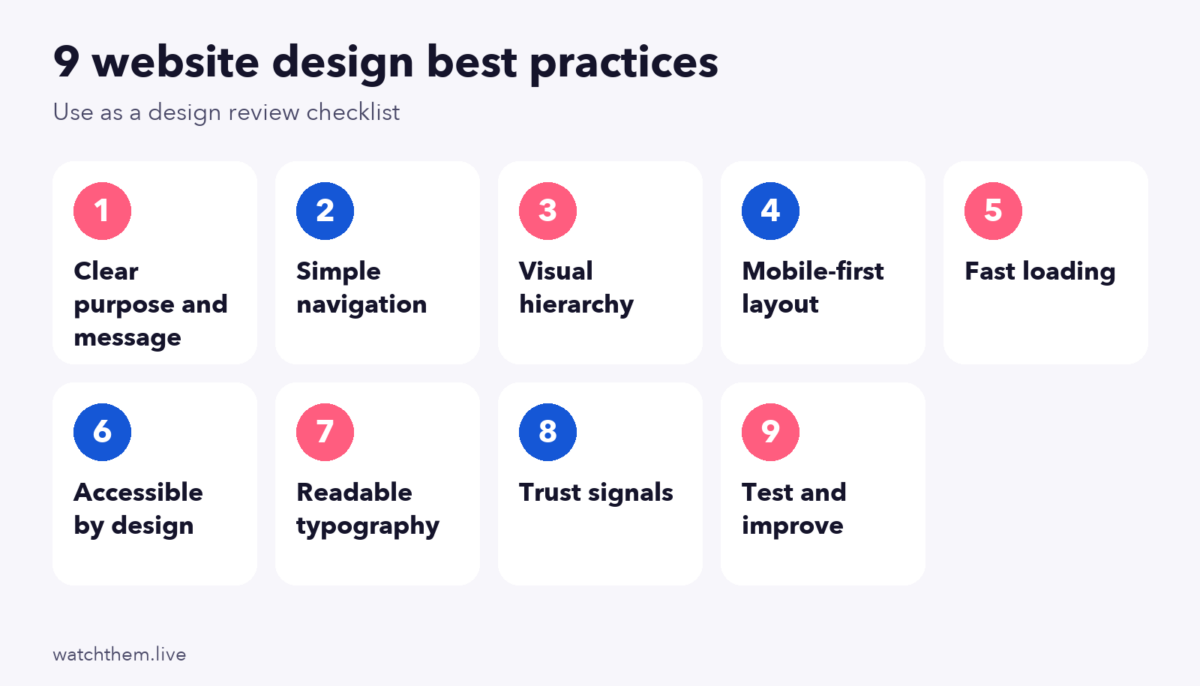
9 Website Design Best Practices for 2026
1. Start With a Clear Purpose and Message
Every page should answer three questions quickly: What is this? Who is it for? What should I do next? Write a headline that states the benefit, add a short supporting line and give one main call to action. A page with several competing goals confuses visitors. Check your key pages against our landing page checklist.
2. Keep Navigation Simple and Familiar
Visitors should never wonder where they are or how to get where they want to go. Keep the main menu short, use plain labels, place it in a familiar position and add search on larger sites. Jakob’s law says people prefer sites that work like the ones they already know, so avoid clever, unusual patterns for basic controls. See website layout for structure ideas.
3. Build a Clear Visual Hierarchy
Use size, color, weight and spacing to show what matters most. A large headline, a smaller subheading and a standout button guide the eye in order. The four principles of contrast, repetition, alignment and proximity give a quick check. See CRAP design principles. Put the key message on the first screen: Nielsen Norman Group eyetracking in 2018 found about 57% of viewing time was above the fold, while valuable content below it still gets read. See below the fold design.
4. Design Mobile-First
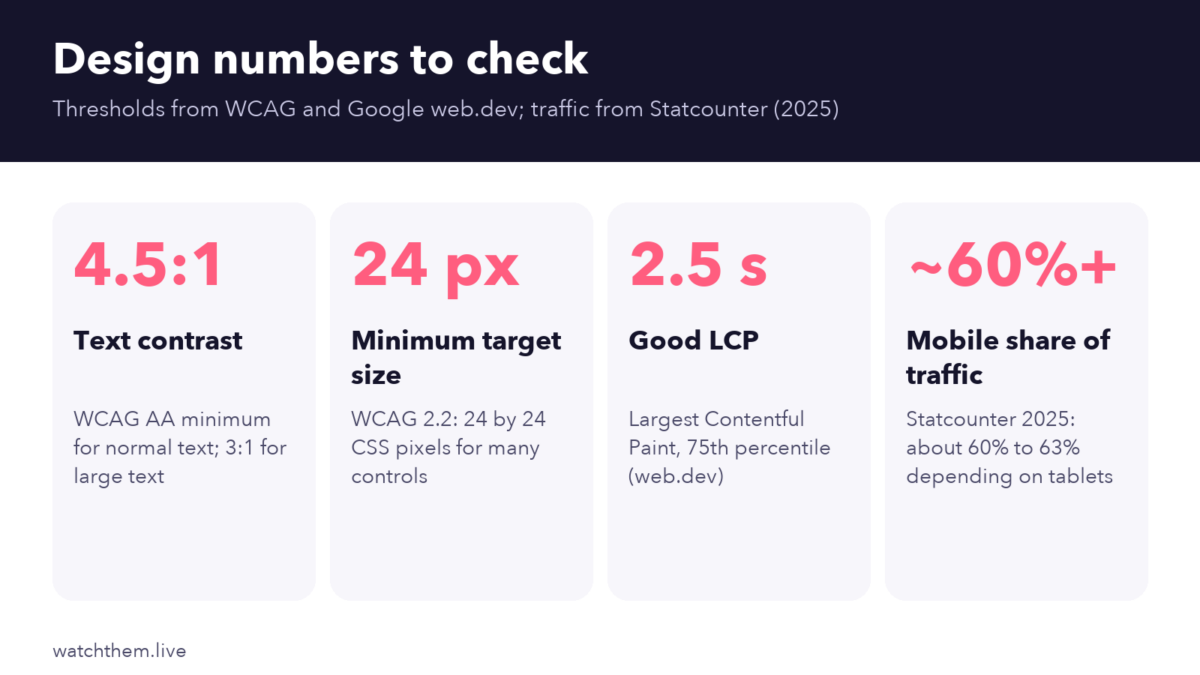
Mobile is roughly 60% to 63% of global web traffic, according to Statcounter data for 2025, and Google primarily uses the mobile version of a page for indexing. Start with the small screen: one column, large tap targets, short forms, readable text without zooming and no pop-ups that cover content. WCAG 2.2 sets a minimum target size of 24 by 24 CSS pixels. See mobile CRO.
5. Make Pages Fast
Speed is part of design. Google’s Core Web Vitals target a Largest Contentful Paint of 2.5 seconds or less, an Interaction to Next Paint of 200 milliseconds or less and a Cumulative Layout Shift of 0.1 or less, measured at the 75th percentile of page loads. INP replaced First Input Delay in March 2024. Compress images, set image dimensions to avoid layout shifts, limit scripts and use caching. Do not lazy-load the main image at the top. See website application optimization.
6. Design for Accessibility
Accessible design works for more people and usually improves usability for everyone. Key checks:
- Text contrast of at least 4.5:1 for normal text and 3:1 for large text.
- Do not use color alone to convey meaning.
- Every control works with a keyboard, with a visible focus outline.
- Images have descriptive alt text, and forms have clear labels.
- Headings follow a logical order.
Sources disagree on whether WCAG 2.1 or 2.2 AA is the working standard, so aim for 2.2 AA, which includes the 2.1 criteria.
7. Use Readable Typography and White Space
Choose a legible font, a comfortable size (body text is typically around 16 pixels or larger), good line spacing and line lengths that are easy to scan. Use two fonts at most. White space is not wasted: it makes content easier to read and the main message easier to notice. Unbounce’s 2024 benchmark report found that landing pages written at a fifth to seventh grade reading level converted at about 11.1%, against about 7.1% for pages at an eighth or ninth grade level, so plain language pays.
8. Build Trust With Clear Signals
Visitors decide quickly whether to trust you. Use HTTPS, show real contact details, publish clear policies and display reviews, logos and results. A Spiegel Research Center study found that products with five reviews were about 270% more likely to be purchased than products with none. Show prices and fees clearly: roundups that cite Baymard Institute research put average cart abandonment near 70%, with unexpected costs, forced account creation and low trust among the top reasons.
9. Test, Measure and Improve
Design is never finished. Use analytics to find weak pages, session recordings and heatmaps to see how people behave and A/B tests to compare options. Review results with UX metrics and website metrics.
Design Best Practices by Page Type
- Home page: a clear value statement, main navigation, proof and a path for each key audience.
- Landing page: one goal, minimal navigation, a short form and message match with the ad.
- Product page: large images, a visible price and buy button, shipping details and reviews. See the add to cart button guide.
- Checkout: guest checkout, few fields, total cost shown early. See checkout page design.
- Blog: readable layout, clear headings, related links and a fast page.
How to Review Your Website Design
- Do a five-second test. Show the page to someone for five seconds and ask what it offers.
- Check on a phone. Use a real device on a normal connection.
- Run speed and accessibility checks with tools such as Lighthouse and PageSpeed Insights.
- Watch real visitors. Recordings reveal what a checklist cannot.
- Fix the biggest problem first, then test the result.
For a structured approach, see our CRO audit guide and the conversion rate optimization checklist. If you are planning bigger changes, read about website redesign.


Website Design and SEO
Design choices affect search visibility. Search engines and visitors both prefer pages that are fast, mobile-friendly and easy to understand. Use one clear main heading, logical subheadings and descriptive link text. Keep navigation crawlable, give every page a unique title and description and use descriptive alt text on images. Google’s guidance says there is no single page experience signal: its ranking systems use a variety of signals aligned with overall page experience, and good Core Web Vitals scores do not guarantee top rankings. Treat speed and usability as ways to serve visitors first, and as support for SEO second. See SEO and CRO for how the two work together.
A Simple Website Design Process
- Define goals and audiences. Decide what the site must achieve and who it is for.
- Plan structure. Map the pages and the main user journeys, and keep important pages within a few clicks.
- Wireframe first. Work out layout and content priorities before choosing colors. See UX design tools.
- Design a system. Pick a small set of colors, two fonts, button styles and spacing, and reuse them everywhere.
- Write real content. Lorem ipsum hides problems. Use real headlines and text early.
- Build for performance and accessibility from the start.
- Test with real users, then launch, measure and improve.
Working in this order prevents the most expensive mistake in design: building a beautiful site that does not answer visitors’ questions. For deeper principles, see UX design principles and UX optimization.
Common Website Design Mistakes
- Too many calls to action, so visitors do not know where to go.
- Hiding the message behind large images or sliders.
- Cluttered navigation with too many items.
- Low-contrast text, which hurts readability and accessibility.
- Ignoring mobile and speed.
- Following trends over users.
- Never measuring, so problems stay invisible.
Frequently Asked Questions About Website Design Best Practices
What are the most important website design best practices?
A clear message, simple navigation, strong visual hierarchy, mobile-first layout, fast loading, accessibility, readable typography, trust signals and continuous testing.
How fast should a website load?
Google’s guidance for a good Largest Contentful Paint is 2.5 seconds or less, together with an Interaction to Next Paint of 200 milliseconds or less and a layout shift score of 0.1 or less, at the 75th percentile of page loads.
Is mobile-first design still necessary?
Yes. Mobile is about 60% to 63% of global web traffic according to Statcounter data for 2025, and Google primarily uses the mobile version of pages for indexing.
What contrast ratio should I use?
WCAG level AA asks for at least 4.5:1 for normal text and 3:1 for large text and interactive components.
How often should I update my website design?
Review key pages every quarter using data, make small improvements continuously and plan a bigger redesign only when data shows persistent problems.
Conclusion
The best website designs are clear, fast, accessible and focused on what visitors want to do. Follow the nine practices: a clear message, simple navigation, visual hierarchy, mobile-first layout, speed, accessibility, readable type, trust signals and ongoing testing. Check your pages with real users and data, fix the biggest problems first and keep improving. Good design is not a one-time project but a habit.
